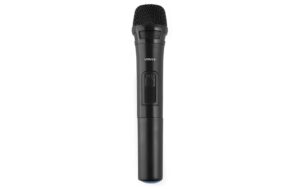
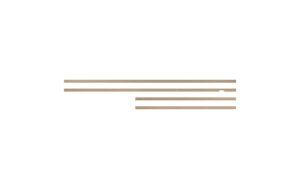
Logitech Tap Wandhalterung
Auf Nachbestellung, Liefertermin folgt
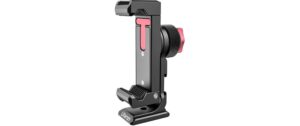
Logitech Tap Wall Mount: Konnektionslösung für Conferencing & Telco/UCC, passt zu Logitech Tap. Erweitert Flexibilität und freut Raum durch montierte Lösung (939-001817).
231.21 CHF 245.86 CHF Inkl. MwSt.
Auf Nachbestellung, Liefertermin folgt
📈 PreisentwicklungPreis stabil (30 Tage)Details ▾
Step into a new era of seamless conferencing and collaboration with the Logitech Tap Wall Mount. This innovative device, model number 939-001817, is meticulously designed to revolutionize your Telco & UCC experience.
Key Features:
- Elegant Design: The Logitech Tap Wall Mount combines sleek aesthetics with robust functionality, making it a perfect addition to any modern conference room or collaboration space.
- Versatile Compatibility: Designed for versatility, the Tap Wall Mount is not restricted by specific certifications. It effortlessly integrates with various conferencing and collaboration platforms, ensuring your setup remains adaptable to evolving needs.
- Intuitive Control: Manage meetings with ease through the Tap’s intuitive touch interface, allowing for quick joins, content sharing, and easy control of meeting settings.
Use Cases & Applications:
From boardroom presentations to remote team collaborations, the Logitech Tap Wall Mount is the perfect partner. Its versatile design makes it suitable for various conferencing scenarios, enhancing productivity and collaboration in today’s hybrid work environment.
Benefits for AV Professionals & Integrators:
- Easy Installation: The Tap Wall Mount offers quick and hassle-free installation, saving you valuable time during integration projects.
- Reliable Performance: Built with Logitech’s renowned quality and durability, the Tap Wall Mount ensures reliable performance for a seamless conferencing experience.
- Flexible Integration: With its compatibility across multiple platforms, the Tap Wall Mount allows for effortless integration into existing AV systems or new setups.
Join the future of collaboration with the Logitech Tap Wall Mount. Elevate your conferencing and collaboration experience with this innovative device designed to empower your workforce and streamline your meetings.
Shop Now:
Hersteller: Logitech | Herstellernummer: 939-001817 | Kategorie: Conferencing & Collaboration, Telco & UCC
| Allgemeine Daten | |
|---|---|
| Produkt | Logitech Tap Wandhalterung |
| Hersteller | Logitech |
| Technische Spezifikationen | |
| Eigenschaft | Wert |
| Anschlussart | Wireless (Bluetooth) |
| Betriebssysteme | iOS, macOS, Android |
| Batterie | Lithium-Ion Rechargeable Battery |
| Gewicht | 12.3 oz (349 g) |
| Ausmaße | 8.6 x 3.5 x 0.7 in (219 x 89 x 18 mm) |
| Anschlüsse & Schnittstellen | |
| USB-Anschluss | Ein USB-C-Anschluss für Ladezusatzgerät |
| Leistungsdaten | |
| Geräteunterstützung | 1 mac- oder Windows-Computer, 3 iOS-Geräte (iPhone, iPad), Android-Geräte |
| Batteriespannung | 3.6V |
| Batterielaufzeit | Auf bis zu 12 Stunden bei kontinuierlicher Benutzung |
| Physikalische Eigenschaften | |
| Farbe | Schwarz |
| Material | Polycarbonat und Silikon |
| Umgebungsbedingungen | |
| Temperaturbereich | 5°C bis 40°C (41°F bis 104°F) |
| Feuchtigkeitsbereich | Keine Daten verfügbar |
| Lieferumfang | |
| Inklusive | Logitech Tap Wandhalterung, USB-C-Lader, Micro-USB-Ladekabel |
Tipps und Hinweise für AV-Techniker zur Logitech Tap Wandhalterung
Installation & Setup
- Stellen Sie sicher, dass Ihr Gerät vor der Installation aufgeladen ist.
- Fügen Sie die Logitech Tap Wandhalterung an den Anschlusspunkt oder den HDMI-Ausgang an, wie es in den Anleitungen beschrieben ist.
- Starten Sie das Gerät und folgten Sie der auf dem Bildschirm angezeigten Installationsanleitung.
Häufige Probleme und Lösungen
- Problem: Die Logitech Tap Wandhalterung ist nicht erkannt. Lösung: Überprüfen Sie die Verbindung zwischen dem Gerät und der Quelle (z.B. TV oder Computer). Führen Sie eventuell eine Neukonfiguration des Geräts durch.
- Problem: Es treten Verbindungsprobleme mit anderen Geräten auf. Lösung: Überprüfen Sie die Kompatibilität der verwendeten Geräte und stellen Sie sicher, dass sie aktuell sind.
Best Practices
- Stellen Sie sicher, dass die Logitech Tap Wandhalterung an einem geeigneten Ort platziert ist, um alle verwendeten Geräte zu erreichen.
- Führen Sie regelmäßige Firmware-Updates durch, um sicherstellen zu können, dass Ihr Gerät funktioniert und aktuell ist.
Kompatibilitätshinweise
- Die Logitech Tap Wandhalterung ist mit HDMI-fähigen Geräten kompatibel.
- Prüfen Sie die offizielle Website von Logitech, um weitere Informationen zur Kompatibilität zu erhalten.
Wartung und Service
- Führen Sie regelmäßige Reinigungen durch, um die Logitech Tap Wandhalterung frei von Staub und Schmutz zu halten.
- Melden Sie sich bei Unterstützungsfall, wenn Ihr Gerät nicht funktioniert oder Probleme auftritt.