


Dell Keyboard KB216 Deutschland DE-Layout (QWERTZ)
Auf Nachbestellung, lieferbar ab 09.10.2026
Dell Keyboard KB216 DE-Layout (QWERTZ): Standard Tastatur mit Medientasten und Ziffernblock, passend zum DE-Layout. Chiclet-Taste für Notebooks in Schwarz.
18.33 CHF 20.05 CHF Inkl. MwSt.
Auf Nachbestellung, lieferbar ab 09.10.2026
Alternativen
Sofort lieferbare Alternativen
- Sofort lieferbar
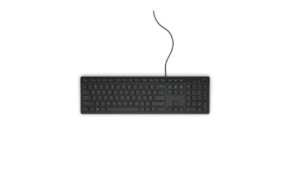
Dell
Dell Keyboard KB216 Schweiz CH-Layout (QWERTZ)
Gleiche Kategorie (Tastatur), gleiche Marke
Sofort lieferbar
18.33 CHF19.96 CHFInkl. MwSt.In den Warenkorb - Sofort lieferbar
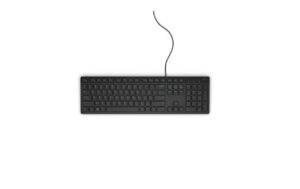
Dell
Dell Keyboard KB216 US-International US/Int-Layout (QWERTY)
Gleiche Kategorie (Tastatur), gleiche Marke
Sofort lieferbar
18.33 CHF19.39 CHFInkl. MwSt.In den Warenkorb - Sofort lieferbar
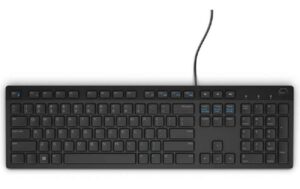
Dell
Dell Multimedia Keyboard-KB216 UK (QWERTY) - Black (RTL BOX)
Gleiche Kategorie (Tastatur), gleiche Marke
Sofort lieferbar
19.24 CHF19.54 CHFInkl. MwSt.In den Warenkorb - Sofort lieferbar

Cherry
Cherry Tastatur Stream TKL Schwarz
Gleiche Kategorie (Tastatur)
Sofort lieferbar
18.38 CHF34.13 CHFInkl. MwSt.In den Warenkorb - Sofort lieferbar
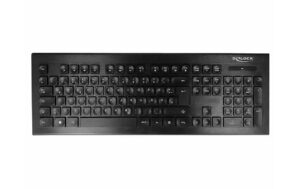
Delock
Delock USB Tastatur 2, 4 GHz kabellos schwarz (Water-Drop )
Gleiche Kategorie (Tastatur)
Sofort lieferbar
18.62 CHF Inkl. MwSt.In den Warenkorb - Sofort lieferbar
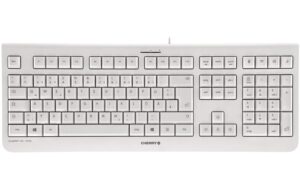
Cherry
Cherry Tastatur KC 1000 Grau
Gleiche Kategorie (Tastatur)
Sofort lieferbar
17.76 CHF19.35 CHFInkl. MwSt.In den Warenkorb - Sofort lieferbar
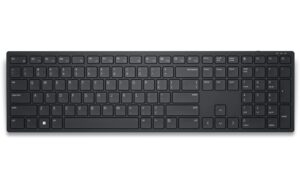
Dell
Dell Keyboard KB500 US International (QWERTY)
Gleiche Kategorie (Tastatur), gleiche Marke
Sofort lieferbar
21.77 CHF34.56 CHFInkl. MwSt.In den Warenkorb - Sofort lieferbar
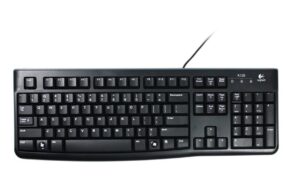
Logitech
Logitech Keyboard K120 for Business USB, Italian-Layout
Gleiche Kategorie (Tastatur)
Sofort lieferbar
16.57 CHF19.69 CHFInkl. MwSt.In den Warenkorb
Experience superior typing performance with the Dell Keyboard KB216 DE-Layout, expertly crafted to cater to your specific needs. This premium peripheral device, featuring a QWERTZ (DE) layout, is designed for seamless integration into your computing environment.
Technical Details and Specifications
- Layout: QWERTZ (DE)
- Tastatur Typ: Standard
- Tastaturlayout: Chiclet (Notebook)
- Detailfarbe: Schwarz
- Ziffernblock: Ja
Use-Cases and Applications
Whether you’re a professional AV technician, an enthusiast, or an integrator, the Dell Keyboard KB216 DE-Layout is an ideal choice for various applications. From multimedia editing to gaming, this keyboard offers unparalleled comfort and precision.
Advantages for AV Technicians and Integrators
- Mediatasten: Access essential media controls effortlessly, boosting productivity during your workflow.
- Chiclet (Notebook) Keyboard Tasten: Enjoy a compact and ergonomic design that fits perfectly in any setup.
Compatibility and Integration
The Dell Keyboard KB216 DE-Layout is designed to work seamlessly with various systems, ensuring smooth integration into your existing setup. With its DE-Layout, it caters specifically to German users, offering a familiar and efficient typing experience.
Professional AV Tech Solution
Invest in the Dell Keyboard KB216 DE-Layout for an unmatched blend of functionality, durability, and style. This premium peripheral device is tailored to meet the demands of AV professionals and enthusiasts alike.
Product Highlights
- Standard Layout: Familiar QWERTZ (DE) layout for comfortable typing.
- Mediatasten: Access media controls with ease.
- Chiclet (Notebook) Keyboard Tasten: Enjoy a compact and ergonomic design.
- DE-Layout: Catering specifically to German users.
Elevate your AV tech setup with the Dell Keyboard KB216 DE-Layout, a testament to quality, innovation, and performance. Experience the difference today!
Product Information
- Hersteller: Dell
- Herstellernummer: 580-ADHE
- Kategorien: Computing & Software, Peripherie
| Allgemeine Daten | |
|---|---|
| Produkt | Dell Keyboard KB216 |
| Hersteller | Dell |
| Technische Spezifikationen | |
| Layout | DE-Layout (QWERTZ) |
| Anschlüsse & Schnittstellen | |
| Leistungsdaten | |
| Physikalische Eigenschaften | |
| Umgebungsbedingungen | |
| Lieferumfang | |
AV-Techniker: Tipps und Hinweise für Dell Keyboard KB216 Deutschland DE-Layout (QWERTZ)
Installation & Setup Tipps
- Entpakete den Keyboard aus dem Packungsmaterial und stelle es auf einem flachen, sauberen Arbeitsbereich auf.
- Verbinde das Keyboard über USB mit Ihrem Computer. Das System sollte automatisch den Treiber installieren.
- Stellen Sie sicher, dass die Tastatur korrekt eingestellt ist und im DE-Layout (QWERTZ) betrieben wird.
Häufige Probleme und Lösungen
- Problem: Das Keyboard funktioniert nicht.
Lösung: Überprüfe die Verbindung zwischen dem Keyboard und Ihrem Computer. Versuche es an einem anderen USB-Port zu verbinden oder versuche einen anderen USB-Kabel zu verwenden. - Problem: Die Tastatur ist langsam oder hat verlangsamte Reaktionen.
Lösung: Überprüfe Ihre Systemeinstellungen und versuche, den Treiber für das Keyboard zu aktualisieren.
Best Practices
- Stellen Sie sicher, dass das Keyboard sauber gehalten wird, um es vor Schmutz und Staub zu schützen.
- Verwenden Sie kein starkes Wasser oder Reinigungsprodukte zum Reinigen des Keyboards. Ein feuchter Tuch ist ausreichend.
Kompatibilitätshinweise
Das Dell Keyboard KB216 DE-Layout (QWERTZ) ist mit Windows, Linux und macOS kompatibel.
Wartung und Service
- Stellen Sie sicher, dass das Keyboard sauber gehalten wird, um es vor Schmutz und Staub zu schützen.
- Verwenden Sie kein starkes Wasser oder Reinigungsprodukte zum Reinigen des Keyboards. Ein feuchter Tuch ist ausreichend.
- Kontaktieren Sie Ihren Dell-Support, um weitere Wartungshinweise zu erhalten und eventuelle Reparaturen durchzuführen.