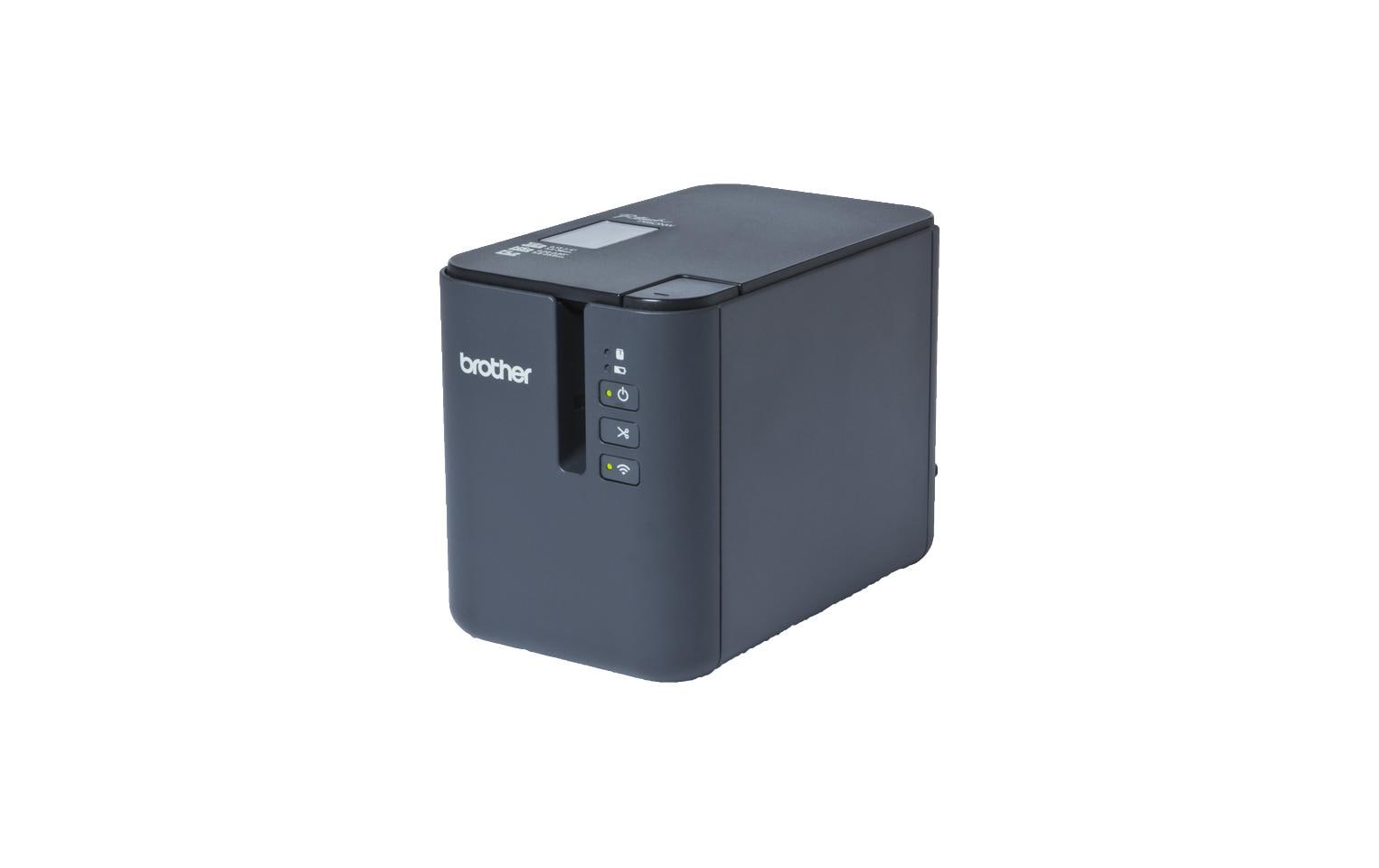
Brother P-touch PT-P950NW, USB, LAN, Beschrifungsgerät, Plug und Print-Funktion
Nur noch 3 Stück an Lager
“Brother P-touch PT-P950NW Label Maker: USB/LAN connectivity, plug & print functionality. Expand your labeling with thermotransfer printing and band media.”
554.21 CHF 568.24 CHF Inkl. MwSt.
Nur noch 3 Stück an Lager
📈 PreisentwicklungPreis stabil (30 Tage)Details ▾
Revolutionize Your Labeling Game with the Brother PT-P950NW
Experience unparalleled labeling precision and efficiency with the Brother P-touch PT-P950NW, a versatile label printer designed specifically for AV technicians and integrators. This cutting-edge device offers an exceptional blend of speed, durability, and ease of use, making it an indispensable tool in your work arsenal.
Superior Printing Technology
- Thermotransfer Printing: This advanced technology ensures high-quality, smudge-proof labels that can withstand harsh conditions, perfect for the demanding environment of AV installations.
- Band Media: Durable and versatile, the PT-P950NW uses tape labels in various widths, lengths, and colors to cater to a wide range of labeling needs.
Connectivity and Flexibility
The Brother P-touch PT-P950NW offers multiple connectivity options, including USB and RJ-45 (LAN), ensuring seamless integration with your existing AV setup. Additionally, it supports Wi-Fi connectivity for wireless printing convenience.
Powerful Features for AV Professionals
- Plug and Print Functionality: Quickly connect the PT-P950NW to your computer or network and start printing labels instantly.
- Easy-to-Use Software: The included Brother Label Magic software allows you to design custom labels with ease, saving you valuable time during installation.
Ideal for Various Applications
From cable management and equipment identification to asset tracking and wayfinding, the Brother P-touch PT-P950NW is an essential tool for AV technicians. Its versatile labeling capabilities help streamline your workflow, reduce errors, and improve overall project efficiency.
Compatibility and Integration
The Brother P-touch PT-P950NW is compatible with various software solutions commonly used in the AV industry, ensuring smooth integration with your existing workflow. This device is also designed to work seamlessly with other Brother labeling accessories, allowing you to expand and customize your labeling setup as needed.
Invest in Quality and Efficiency
With the Brother P-touch PT-P950NW, you’re not just investing in a label printer—you’re investing in a tool that can help take your AV projects to the next level. Experience the difference of high-quality labeling solutions today.
Product Details
- Manufacturer: Brother
- Model Number: PTP950NWC1
- Category: Computing & Software, Peripherals
- Power Consumption: 0 Wh (Does not consume power when in standby mode)
| Allgemeine Daten | |
|---|---|
| Produkt | Brother P-touch PT-P950NW |
| Hersteller | Brother |
| Technische Spezifikationen | |
| Output Format | Plug and Print-Funktion, USB, LAN |
| Anschlüsse & Schnittstellen | USB, LAN |
| Leistungsdaten | N/A |
| Physikalische Eigenschaften | N/A |
| Umgebungsbedingungen | N/A |
| Lieferumfang | Included: Label Printer, USB Cable, Power Adapter, Installation CD, Quick Start Guide, Safety and Warranty Manual |
Brother P-touch PT-P950NW: Tipps & Hinweise
Installation & Setup
- Lade das Brother-Softwarepaket auf Ihren Computer herunter und installiere es.
- Verbinde das Gerät mit dem Computer über USB oder LAN anschließend.
- Folge den Anleitungen der Software zur Einrichtung des Brother P-touch PT-P950NW.
Häufige Probleme und Lösungen
- Problem: Gerät kann nicht mit dem Computer verbunden werden.
Lösung: Überprüfe die Verbindung, stelle sicher, dass das Gerät angelegt und ausgeschaltet wird. - Problem: Die Software erkennt keinen Ton cartridge.
Lösung: Stelle sicher, dass der Ton cartridge korrekt eingesetzt ist und das Gerät neu gestartet wurde.
Best Practices
- Verwende nur original Brother-Ton cartridges, um die Lebensdauer des Geräts zu maximieren.
- Lösche alte Dateien regelmäßig, um Speicherplatz für neue Projekte freizumachen.
Kompatibilitätshinweise
- Das Gerät ist kompatibel mit Windows und macOS.
- Die Software unterstützt Microsoft Office, Adobe Creative Suite und weitere Anwendungen.
Wartung & Service
- Reinige das Gerät regelmäßig von Staub und anderen Partikeln.
- Stelle sicher, dass der Ton cartridge korrekt eingesetzt ist und die Batterien frisch sind.
- Kontaktiere Brother Service, falls das Gerät nicht funktioniert oder reparaturbedürftig ist.
Passendes Zubehör 12
Zubehör Etiketten-/Belegdrucker 6
-
-7%Computing & Software, Drucker, Peripherie, Zubehör Etiketten-/Belegdrucker
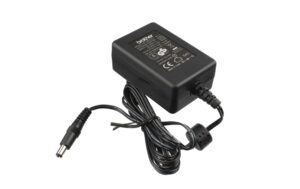
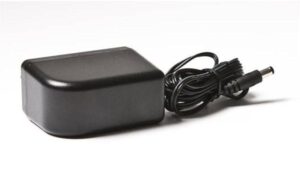
Brother P-touch Netzadapter AD-24ES, 9V/1.6A passend zu PT-90 / PT-1010 / PT-1230PC
 Computing & Software, Drucker, Peripherie, Zubehör Etiketten-/Belegdrucker
Brother P-touch Netzadapter AD-24ES, 9V/1.6A passend zu PT-90 / PT-1010 / PT-1230PC
Der Brother AD24ESEU Netzadapter bietet eine Ausgangsspannung von 9 V und einen Strom von 1,6 A für verschiedene Etikettendruckermodelle. Zertifiziert nach UL.
SKU: 128803

Zubehör Laserdrucker 6
-
Computing & Software, Drucker, Peripherie, Zubehör Laserdrucker
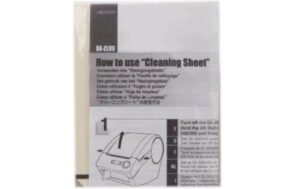
Brother Cleaning sheet ASS LB9543001 Masse: (LxBxH) 10 x 0, 1 x 13 cm
Computing & Software, Drucker, Peripherie, Zubehör LaserdruckerBrother Cleaning sheet ASS LB9543001 Masse: (LxBxH) 10 x 0, 1 x 13 cm
Brother Reinigungspapier ASS LB9543001 – Zubehörtyp: Reinigungsmaterial
Für den perfekten Pflegevorgang von Ihrem Brother Gerät geeignet. Ergänzung zum bestmöglichen Betrieb.
SKU: 1403186