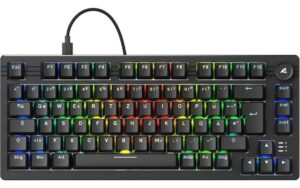
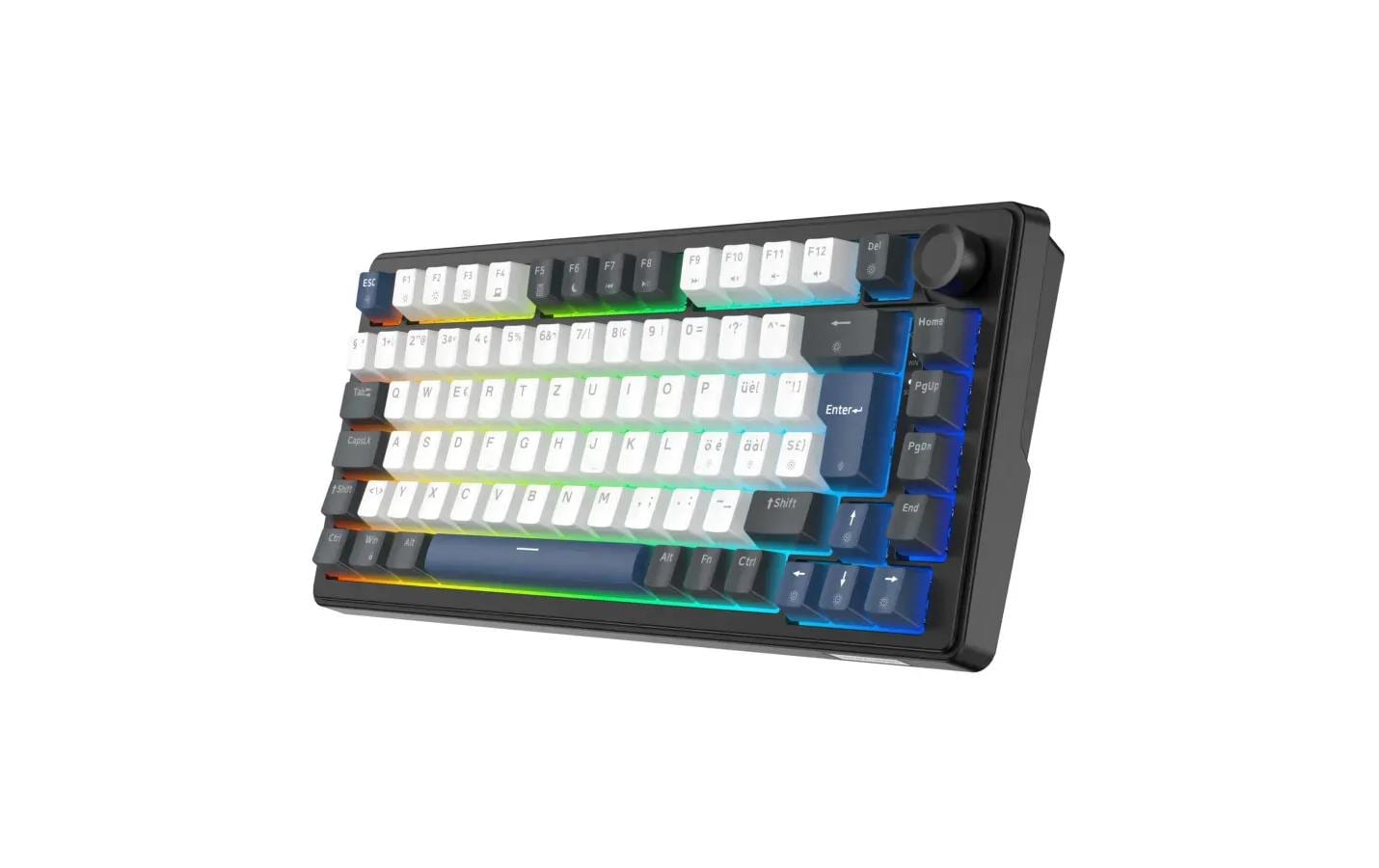
Deltaco TKL Gaming Keyboard mech RGB, black red switch, CH-Layout, mech, black
Nur noch 3 Stück an Lager
Deltaco TKL Mechanische RGB Gaming Keyboard: Beleuchtete QWERTZ-Tastatur mit mechanischen Schaltern und N-Key Rollover für CH-Layout. Ideal für Enthusiasten, die eine schnelle und farbenreiche Eingabegerät suchen.
52.75 CHF 67.40 CHF Inkl. MwSt.
Nur noch 3 Stück an Lager
📈 Preisentwicklung▼ 1.6% günstiger als vor 30 TagenDetails ▾
Positioning and Market Fit: A Revolutionary Solution for Gamers and Professionals Alike
The DELTACO GAM-075 TKL Gaming Keyboard is a masterpiece of modern technology, designed to cater to the needs of both avid gamers and discerning professionals. With its CH-Layout and black red switch, it offers an unparalleled blend of style, performance, and functionality that sets it apart in the competitive keyboard market.
Key Features: A Closer Look at What Makes This Keyboard Stand Out
- Mechanical Keyboard: The DELTACO GAM-075 features mechanical keys, providing a tactile and responsive typing experience that enhances productivity and gaming performance.
- RGB Illumination: This keyboard comes with built-in RGB backlighting that offers an immersive and customizable lighting experience, perfect for gamers seeking to elevate their gaming setup or professionals needing a visually appealing workstation.
- N-Key Rollover: With N-Key Rollover technology, every keystroke is registered accurately, ensuring smooth performance during high-speed gaming sessions or intense typing tasks.
Applications & Use Cases: Where the DELTACO GAM-075 Shines
Whether you’re a hardcore gamer, an AV technician, an event organizer, or an IT manager, the DELTACO GAM-075 offers a versatile solution for various scenarios. From immersive gaming sessions at home to professional workstations in the office, this keyboard delivers exceptional performance in all settings.
Target Audience & Benefits: Who Stands to Gain and How
- AV Technicians: With its high-quality construction and advanced features, the DELTACO GAM-075 is an ideal choice for AV technicians seeking a reliable, customizable solution for their clients.
- Integrators: This keyboard offers integrators a premium product to include in their offerings, catering to customers who demand high-performance peripherals for their setups.
- IT Managers: The DELTACO GAM-075 is an excellent choice for IT managers looking to equip their teams with ergonomic and efficient keyboards that boost productivity and reduce fatigue.
Technical Highlights: Unmatched Performance and Quality
The DELTACO GAM-075 boasts several technical highlights that set it apart from the competition. Its mechanical keys provide a superior typing experience, while its RGB illumination offers unrivaled customization options for gamers and professionals alike. The N-Key Rollover technology ensures accurate key registration even during fast-paced gaming sessions or intense typing tasks.
| Allgemeine Daten | |
|---|---|
| Produkt | Deltaco Gaming-Tastatur GAM-075 |
| Hersteller | DELTACO |
| Technische Spezifikationen | |
| Tastaturlayout | QWERTZ (CH) |
| Tastatur Features | Beleuchtung, N-Key Rollover, RGB-Beleuchtung, Keyboard Tasten: Mechanisch |
| Detailfarbe | Schwarz |
| Ziffernblock | Nein |
| Verbindungsart | Verkabelt |
| Anschlüsse & Schnittstellen | |
| Leistungsdaten | |
| Physikalische Eigenschaften | |
| Umgebungsbedingungen | |
| Lieferumfang | |
Tipps und Hinweise für AV-Techniker für das Deltaco TKL Gaming Keyboard mech RGB
Zielgruppen und Einsatzgebiete
- Für Spieler von Computerspielen, die eine mechanische Tastatur mit RGB-Beleuchtung bevorzugen.
- Für AV-Techniker, die eine qualitative Tastatur für die Arbeit an Computern benötigen.
Installation und Setup
- Verbinden Sie das Gerät mit Ihrem Computer über den USB-Anschluss und installieren Sie die Treiber.
- Konfigurieren Sie die RGB-Beleuchtung mittels des angegebenen Softwaretools.
Best Practices und Anwendungstipps
- Aktivieren Sie das N-Key Rollover, um eine schnellere und genauere Eingabe zu ermöglichen.
- Verwenden Sie die RGB-Beleuchtung, um sich bei dunklen Umgebungen besser orientieren zu können.
Kompatibilität und Integration
- Das Gerät ist mit Windows, macOS und Linux kompatibel.
- Es unterstützt diverse Tastatur-Standards (z.B. ANSI, JIS).
Zubehör-Empfehlungen
- Anti-Grausamkeits-Tastenabdeckungen für eine angenehmere Tastendruckgefühl.
- Kabelmanagement-Systeme, um den Arbeitsplatz zu ordnen und das Gerät zu schützen.
Häufige Probleme und Lösungen
- Stolperstein: Die Tastatur funktioniert nicht korrekt. Lösung: Stellen Sie sicher, dass das Gerät ordnungsgemäß mit dem Computer verbunden ist und die Treiber installiert sind.
- Stolperstein: Die RGB-Beleuchtung funktioniert nicht korrekt. Lösung: Verwenden Sie das angegebene Softwaretool, um die Konfiguration der RGB-Beleuchtung zu ändern.
Passendes Zubehör 4
Weiteres Zubehör Tastaturen & Mäuse 4
-
-66%Computing & Software, Mäuse & Tastaturen, Peripherie, Weiteres Zubehör Tastaturen & Mäuse
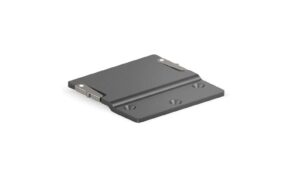
HyperX Alloy Rise Top Plate, marineblau passend zu HyperX Alloy Rise Tastatur
 Computing & Software, Mäuse & Tastaturen, Peripherie, Weiteres Zubehör Tastaturen & Mäuse
HyperX Alloy Rise Top Plate, marineblau passend zu HyperX Alloy Rise Tastatur
HyperX Alloy Rise Top Plate marineblau – passend zu HyperX Alloy Rise Tastatur
1. Ersatzdeckplatte in blauer Farbe für die HyperX Alloy Rise Tastatur
2. Idealer Ersatzteil für professionelle Nutzer, die nach einem farblichen Akzent suchenSKU: 1759942 -
-16%Computing & Software, Mäuse & Tastaturen, Peripherie, Weiteres Zubehör Tastaturen & Mäuse
HyperX Alloy Rise 75 Top Plate, marineblau passend zu HyperX Alloy Rise 75 Tastatur
Computing & Software, Mäuse & Tastaturen, Peripherie, Weiteres Zubehör Tastaturen & MäuseHyperX Alloy Rise 75 Top Plate, marineblau passend zu HyperX Alloy Rise 75 Tastatur
Magnetische Top Plate in Navy Blue für die HyperX Alloy Rise 75 Tastatur, stabil aus Aluminium gefertigt mit farblich passendem Drehknopf.
SKU: 1759940 -
Computing & Software, Mäuse & Tastaturen, Peripherie, Weiteres Zubehör Tastaturen & Mäuse
HyperX Alloy Rise 75 Top Plate, weiss passend zu HyperX Alloy Rise 75 Tastatur
Computing & Software, Mäuse & Tastaturen, Peripherie, Weiteres Zubehör Tastaturen & MäuseHyperX Alloy Rise 75 Top Plate, weiss passend zu HyperX Alloy Rise 75 Tastatur
Die HyperX Alloy Rise 75 Top Plate in Weiß passt perfekt zur Alloy Rise 75 Tastatur und lässt sich einfach einrasten. Sie ist aus stabilen Aluminium gefertigt und verleiht deiner Tastatur einen neuen Look.
SKU: 1759941