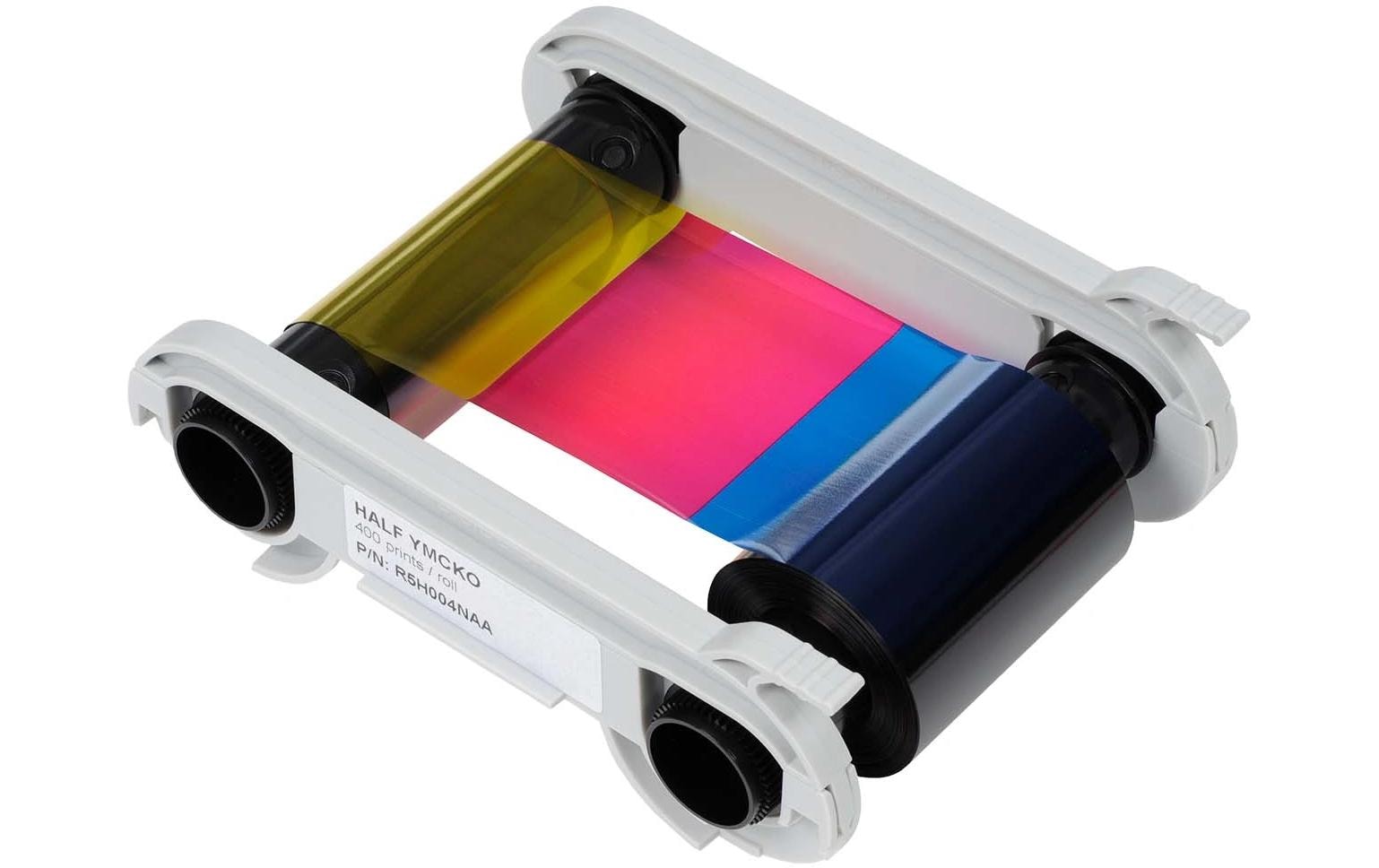
Evolis Zenius, Primacy 1/2 YMCKO 400 Kartenseiten
Art.-Nr. 1652006 · Herst.-Nr. 60000112 · EAN 3661572000712
78.00 CHF 99.72 CHF Inkl. MwSt.
inkl. 8.1 % MwSt. (CHF 5.84) · Versand CHF 8.90, gratis ab CHF 500 exkl. MwSt.
Nur noch 1 Stück verfügbar, Lieferung in 1 bis 3 Werktagen
- Versand CHF 8.90, gratis ab CHF 500 exkl. MwSt.
- 24 Monate Garantie
- 7 Tage Rückgabe
Zahlungsarten: TwintVisaMastercardPostFinancePayPalVorauszahlung
Introducing the Evolis Zenius Primacy, a high-performance color ID card printer that delivers exceptional results with unparalleled precision. This state-of-the-art device, model number 60000112, is a testament to Evolis’ commitment to innovation and quality in the Computing & Software Peripherals category.
Key Features:
- High Capacity: The Zenius Primacy boasts a generous 400-page capacity, ensuring seamless operation even during high-volume printing tasks.
- Superior Quality: With its 1/2 YMCKO technology, this printer delivers vibrant and crisp color output that stands out from the crowd.
- Efficiency: The Zenius Primacy offers fast print speeds, making it an ideal choice for busy AV-Technicians and Integrators who value productivity.
Applications and Use Cases:
- Secure Access Control: Ideal for issuing color ID cards in various industries such as education, healthcare, and corporate environments.
- Event Management: Perfect for creating personalized badges for conferences, festivals, and other large-scale events.
- Customized Marketing Materials: Use the Zenius Primacy to print eye-catching promotional materials that leave a lasting impression.
Benefits for AV-Technicians and Integrators:
- Reliability: The Zenius Primacy is built to last, ensuring minimal downtime and maximizing your productivity.
- Ease of Use: With its intuitive interface, this printer is easy to set up and operate, saving you valuable time and effort.
- Versatility: Whether you’re printing ID cards, loyalty cards, or membership cards, the Zenius Primacy offers the flexibility you need to meet your diverse needs.
Compatibility and Integration:
The Evolis Zenius Primacy is compatible with various card formats and software solutions, making it a versatile addition to any AV setup. It seamlessly integrates with popular access control systems, ensuring smooth operation and hassle-free management of your ID printing tasks.
Invest in the Future of ID Card Printing:
The Evolis Zenius Primacy represents a significant leap forward in color ID card printing technology. Its superior quality, efficiency, and versatility make it an essential tool for any AV-Technician or Integrator seeking to elevate their card printing game. Experience the difference today!
| Allgemeine Daten | |
|---|---|
| Produkt | Evolis Zenius, Primacy 1/2 YMCKO |
| Hersteller | Evolis |
| Technische Spezifikationen | |
| Eigenschaft | Wert |
| Kartenseiten | 400 |
| Output Format | YMCKO |
| Resolution (dpi) | 300 |
| Bildformat | PNG |
| Maximale Kartengröße | 100 mm x 74 mm |
| Energieversorgung | USB 2.0 |
| Anschlüsse & Schnittstellen | |
| Eingang | USB 2.0 |
| Ausgang | Kartenleser |
| Leistungsdaten | |
| Maximale Druckgeschwindigkeit | 100 Karten pro Minute |
| Energieverbrauch | 1,2 Watt (max.) |
| Physikalische Eigenschaften | |
| Gewicht | 600 Gramm |
| Ausmaße | 179 mm x 234 mm x 58 mm |
| Umgebungsbedingungen | |
| Betriebstemperatur | 5°C bis 40°C |
| Relativfeuchte Luft (RH) | 10% - 90% |
| Lieferumfang | |
| Inklusive | Evolis Zenius, Primacy 1/2 YMCKO, Kabel USB 2.0, Anleitung und Software |
| Hersteller | Evolis |
|---|---|
| Herstellernummer | 60000112 |
| EAN | 5004 |
| Gewicht | 0.22 kg |
| Garantie | 24 Monate |
Wann ist die Ware bei mir?
Kann ich auf Rechnung bestellen?
Welche Garantie gilt?
Sind die Preise inklusive MwSt.?
AV-Techniker Tipps & Hinweise: Evolis Zenius, Primacy 1/2 YMCKO 400 Kartenseiten
Installation & Setup
- Vergewissern Sie sich, dass das Gerät mit der angepassten Software auf dem Computer verbunden ist.
- Stellen Sie sicher, dass die Kartenleseanlage auf einem flachen und festen Untergrund montiert wird, um eine stabile Verbindung zu gewährleisten.
Häufige Probleme und Lösungen
- Problem: Die Kartenleseanlage funktioniert nicht. Lösung: Überprüfen Sie die Verbindung zwischen der Anlage und dem Computer, sowie die Softwarekonfiguration.
- Problem: Es treten Fehler bei der Kartenausgabe auf. Lösung: Sollte eine Karte nicht korrekt ausgedruckt werden, überprüfen Sie den Zustand des Druckkopfs und des Toners.
Best Practices
- Verwenden Sie nur Original-Toner, um eine optimale Ausdruckqualität zu erzielen.
- Stellen Sie sicher, dass die Kartenleseanlage regelmäßig gereinigt wird, um ein möglichst hohes Lebenszeitalter zu erreichen.
Kompatibilitätshinweise
Das Gerät ist mit den folgenden Betriebssystemen kompatibel: Windows 7, Windows 8, Windows 10 und macOS X.
Wartung und Service
- Verwenden Sie regelmäßig die angepasste Software zum Updaten der Firmware des Geräts.
- Stellen Sie sicher, dass das Gerät regelmäßig gereinigt wird, um ein möglichst hohes Lebenszeitalter zu erreichen.
- Falsch bestellt?Melden Sie sich innert 7 Tagen nach Erhalt, und wir tauschen den Artikel um oder schreiben Ihnen den Betrag gut. Voraussetzung: unbenutzt und vollständig originalverpackt. Die Rücksendung geht zu Ihren Kosten. Rückgabe-Richtlinien