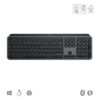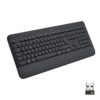
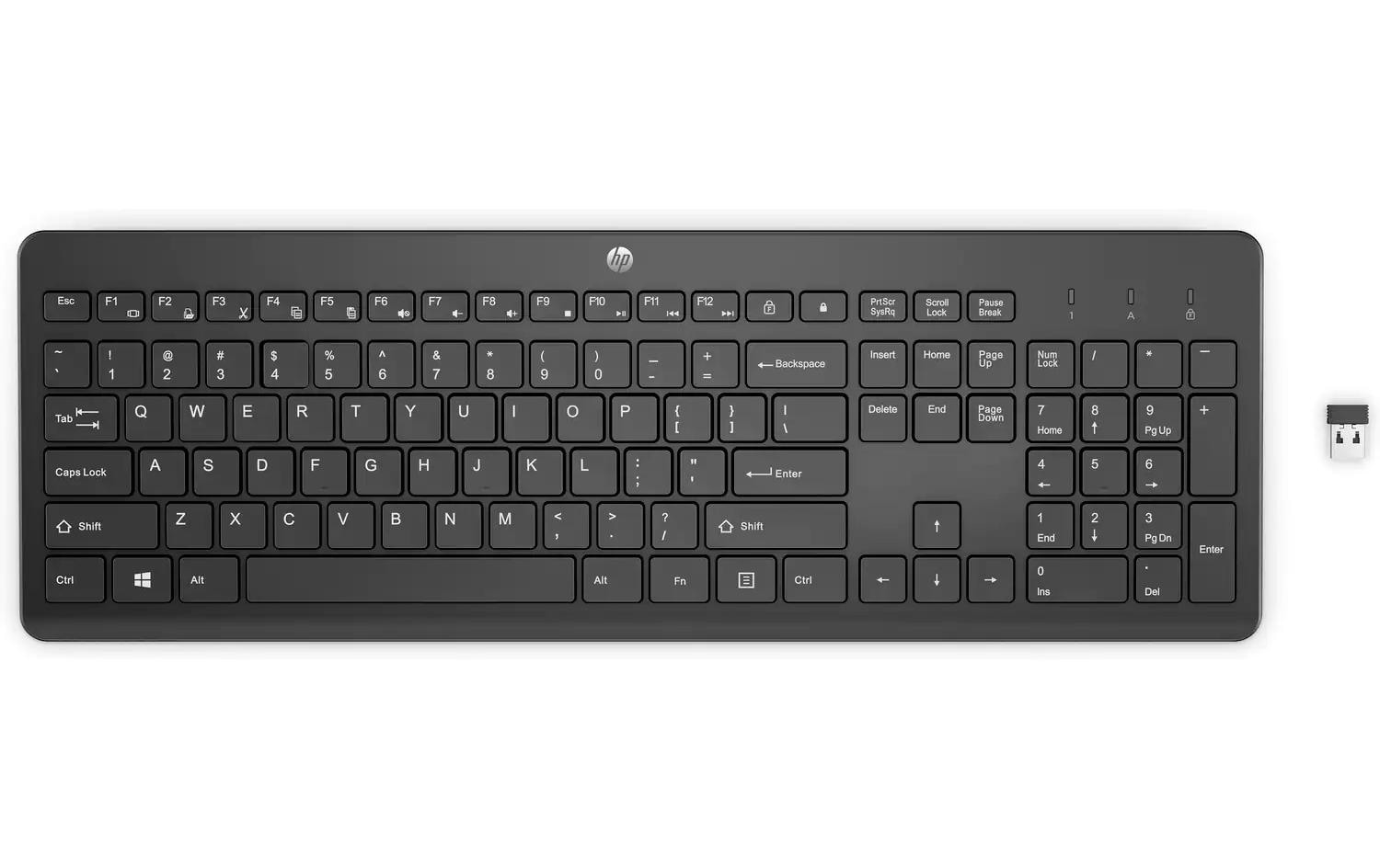
HP Wireless Keyboard 230 Black
Art.-Nr. 1323701 · Herst.-Nr. 3L1E7AA#UUZ · EAN 195908430360
30.93 CHF 42.98 CHF Inkl. MwSt.
inkl. 8.1 % MwSt. (CHF 2.32) · Versand CHF 8.90, gratis ab CHF 500 exkl. MwSt.
Verfügbar, Lieferung in 1 bis 3 Werktagen
- Versand CHF 8.90, gratis ab CHF 500 exkl. MwSt.
- 24 Monate Garantie
- 7 Tage Rückgabe
Zahlungsarten: TwintVisaMastercardPostFinancePayPalVorauszahlung
Introducing the HP Wireless Keyboard 230 Black, a sleek and efficient solution designed to elevate your typing experience. Positioned within the Computing & Software Peripherals category, this device is engineered to cater to users seeking a high-quality wireless keyboard with a QWERTZ (CH) layout.
Key Features and Benefits
- Standard Layout: The HP Wireless Keyboard 230 Black offers a familiar standard layout, ensuring a seamless transition for users accustomed to this configuration.
- QWERTZ (CH) Tastaturlayout: This keyboard is specifically designed for the German-speaking market with a QWERTZ layout, making it an ideal choice for users in those regions.
- Number Block: The number block provides quick and easy access to numbers, enhancing productivity and efficiency during data entry tasks.
- Classic Keys: The keyboard features classic keys (knöpfe), offering a familiar feel for users who prefer traditional typing mechanisms.
- Black Detail Color: The Schwarz detailfarbe gives the HP Wireless Keyboard 230 Black an elegant and professional look, making it suitable for both home and office environments.
Applications and Use Cases
The HP Wireless Keyboard 230 Black is versatile and can be used in a variety of settings, including home offices, conference rooms, broadcast studios, and event venues.
Target Groups and Their Advantages
- AV Technicians: This keyboard is an essential tool for AV technicians, enabling them to work efficiently and comfortably while setting up and managing audio-visual equipment.
- Integrators: System integrators can benefit from the HP Wireless Keyboard 230 Black’s ease of use and reliable performance when designing and implementing complete solutions for their clients.
- IT Managers: IT managers will appreciate the keyboard’s wireless functionality, which allows users to work freely without being tethered to a desktop.
- Event Organizers: Event organizers can rely on the HP Wireless Keyboard 230 Black for its dependability and ease of setup during conferences, seminars, and other events requiring multiple devices.
Technical Highlights
The HP Wireless Keyboard 230 Black boasts a range of technical highlights that contribute to its superior performance. These include:
- Wireless Functionality: The keyboard’s wireless capabilities provide users with the freedom to move around while still maintaining a strong and stable connection.
- Efficient Data Entry: The number block and classic key design facilitate quick and accurate data entry, improving productivity and efficiency.
| Allgemeine Daten | |
|---|---|
| Produkt | HP Wireless Keyboard 230 Black |
| Hersteller | HP Inc. |
| Technische Spezifikationen | |
| Eigenschaft | Wert |
| Herstellernummer | 3L1E7AA#UUZ |
| Kategorie | Computing & Software, Peripherie |
| EAN | 195908430360 |
| Tastaturlayout | QWERTZ (CH) |
| Tastatur Features | Ziffernblock, Keyboard Tasten: Klassisch (Knöpfe), Detailfarbe: Schwarz, Ziffernblock: Ja |
| Hersteller | HP Inc. |
|---|---|
| Herstellernummer | 3L1E7AA#UUZ |
| EAN | 195908430360 |
| Gewicht | 0.69 kg |
| Garantie | 24 Monate |
Wann ist die Ware bei mir?
Kann ich auf Rechnung bestellen?
Welche Garantie gilt?
Sind die Preise inklusive MwSt.?
Tipps und Hinweise für AV-Techniker für das Produkt HP Wireless Keyboard 230 Black
Zielgruppen und Einsatzgebiete
- Für Berufsgruppen, die häufig an Computern arbeiten wie AV-Techniker, Schreibende oder Programmierer.
- Szenarien: Montage von Home Cinema Systemen, Büroausstattung, Setup von Notebooks und Desktops.
Installation und Setup
- Entferne die alte Tastatur (falls vorhanden).
- Schalte das Gerät ein und drücke den "On"/Power-Button auf der Tastatur.
- Einrichtung über Bluetooth: Gehe in Systemeinstellungen -> Geräte und Bluetooth -> Geräte hinzufügen. Suchen Sie das Gerät nach dem Namen "HP Wireless Keyboard 230" oder dem MAC-Adresse (14:xx:xx:xx:xx:xx).
- Wenn die Verbindung hergestellt ist, kann die Tastatur genutzt werden.
Best Practices und Anwendungstipps
- Verwende eine Tastaturreinigung, um die Tasten sauber zu halten und einen optimalen Schreibkomfort zu gewährleisten.
- Zeige dem Benutzer, wie er die Funktionen der Tastatur (z.B. Media-Taste) korrekt nutzen kann.
Kompatibilität und Integration
- Das Gerät ist mit allen gängigen Systemen wie Windows, macOS und Linux kompatibel.
- Es unterstützt den Bluetooth-Standard 4.0.
Zubehör-Empfehlungen
- HP Wired Mouse (für komfortables Arbeiten)
- Antistatik-Taschentücher (um die Tastatur vor Staub und Schmutz zu schützen)
Häufige Probleme und Lösungen
- Problem: Tastatur verbindet sich nicht. Lösung: Stelle sicher, dass das Gerät ausreichend aufgeladen ist und in Reichweite des Computers ist.
- Problem: Tastenreaktion langsam oder ungenau. Lösung: Verwende eine Tastaturreinigung, um die Tasten sauber zu halten und die Reaktionsgeschwindigkeit zu erhöhen.
- Falsch bestellt?Melden Sie sich innert 7 Tagen nach Erhalt, und wir tauschen den Artikel um oder schreiben Ihnen den Betrag gut. Voraussetzung: unbenutzt und vollständig originalverpackt. Die Rücksendung geht zu Ihren Kosten. Rückgabe-Richtlinien