



Logitech Zone Vibe Wireless UC Grafit
Nur noch 2 Stück an Lager
Bluetooth Over-Ear Business Headset: Logitech Zone Vibe Wireless UC (Kabellos, Duo/Stereo, USB-C) – Kompatibel mit Microsoft. Expand your professional communication with crystal clear sound and seamless Bluetooth connectivity.
111.76 CHF 119.24 CHF Inkl. MwSt.
Nur noch 2 Stück an Lager
Exceptional Audio Quality for Unmatched Communication Experience
Experience crystal-clear audio with the Logitech Zone Vibe Wireless UC Grafit. This premium over-ear headset is designed to deliver outstanding sound quality for your business communication needs.
Key Features:
- Bluetooth & USB-C Connectivity: Seamless connectivity options ensure a stable and reliable connection, whether you’re using Bluetooth or USB-C.
- Over-Ear Design: The comfortable over-ear design provides excellent noise isolation, ensuring your focus remains on the conversation.
- Duo / Stereo Configuration: Two built-in speakers offer a rich and immersive audio experience for calls and multimedia consumption.
Versatile Use Cases and Integration
From conference calls to video meetings, the Logitech Zone Vibe Wireless UC Grafit is a versatile headset that caters to various business scenarios. It’s compatible with popular platforms like Microsoft Teams and Zoom, making it an ideal choice for today’s modern workplace.
Advantages for AV-Technicians and Integrators
The Logitech Zone Vibe Wireless UC Grafit offers a straightforward setup process and easy integration with existing systems. Its sleek design ensures it blends seamlessly into any office environment, making it a reliable choice for professional AV-tech installations.
Microsoft Certification and Compatibility
While not Microsoft certified, the Logitech Zone Vibe Wireless UC Grafit is designed to work seamlessly with Microsoft platforms. Its compatibility with popular communication tools makes it an attractive choice for businesses using Microsoft’s collaborative technology.
| Allgemeine Daten | |
|---|---|
| Produkt | Logitech Zone Vibe Wireless UC Grafit |
| Hersteller | Logitech |
| Technische Spezifikationen | |
| Frequenzgang (Hertz) | 6 Hz - 18 kHz |
| Kanalanzahl | 2.4 GHz und Bluetooth 5.0 |
| Frequenzhopping (Hoprate) | 125 Hz |
| Signal-Qualität | Logitech Advanced 2.4 GHz DECT |
| Kompatibilität mit Headset | Ja |
| Akustische Systeme | 2-Way, Digital Signal Processing (DSP) |
| Antenne | Integrated Dual Microphone Array |
| Lautstärke | 80 dBA |
| Mikrofon | 2-Elemente, Omni-directional (360°) |
| Akustische Isolation | Ja |
| Noise Cancelling | Ja, Dual Hybrid ANC |
| Sprachqualität | HD Voice (Wideband) |
| Anschlüsse & Schnittstellen | |
| USB-Anschluss | Ein USB-C für Ladeadapter und Dockingstation |
| Bluetooth 5.0 | Freie Verbindung mit Smartphones, Tablets und PCs |
| Leistungsdaten | |
| Batterielaufzeit (ohne ANC) | 10 Stunden |
| Batterielaufzeit (mit ANC) | 5,5 Stunden |
| Ladungszeit | 3 Stunden |
| Standby-Zeit | 90 Tage |
| Physikalische Eigenschaften | |
| Gewicht | 176 Gramm |
| Ausmaße | 140 mm × 63 mm × 215 mm |
| Umgebungsbedingungen | |
| Temperaturbereich | 0 °C bis 40 °C (32 °F - 104 °F) |
| Niederschlag | Kein Schutz gegen Nass |
| Luftfeuchtigkeit | 95% bei 40 °C (104 °F) |
| Lieferumfang | |
| Logitech Zone Vibe Wireless UC Grafit Headset | 1 Stück |
| USB-C Ladeadapter und Dockingstation | 1 Stück |
| Mikro-USB-Anschluss für Ladeadapter | 1 Stück |
| Kabel zur Dockingstation | 1 Stück |
| Dokumentation | 1 Set |
Tipps und Hinweise für AV-Techniker: Logitech Zone Vibe Wireless UC Grafit
Installation & Setup
- Sichere sich die neueste Firmware und Treiber vor der Installation.
- Aktiviere den Bluetooth auf deinem Gerät und verbinde es mit dem Logitech Zone Vibe Wireless UC Grafit.
- Lade die Logitech G-Hub Software auf deinem Computer herunter, um das Gerät zu konfigurieren.
Häufige Probleme und Lösungen
- Problem: Gerät verbindet sich nicht mit dem Bluetooth. Lösung: Stelle sicher, dass dein Gerät in Reichweite des Logitech Zone Vibe Wireless UC Grafit ist und dass die Bluetooth-Funktion aktiviert ist.
- Problem: Gerät hat keinen Ton aus. Lösung: Überprüfe, ob das Gerät korrekt mit deinem Computer verbunden ist und ob die Lautstärkereglerung des Geräts eingestellt wurde.
Best Practices
- Halte das Logitech Zone Vibe Wireless UC Grafit in einem gebückten Zustand, um die akustische Qualität zu maximieren.
- Verwende den integrierten Mikrofon für optimale Hörqualität während Video- und Telefongesprächen.
Kompatibilitätshinweise
Der Logitech Zone Vibe Wireless UC Grafit ist kompatibel mit PCs, Macs und mobilen Geräten, die Bluetooth 4.0 oder höher unterstützen.
Wartung und Service
- Reinige das Logitech Zone Vibe Wireless UC Grafit regelmäßig mit einer feuchten Wischtüte, um Staub und Schmutz zu entfernen.
- Halte den Ladegrad des Geräts über 30% während der Lagerung, um eine langfristige Lebensdauer zu gewährleisten.
Alternativen

Logitech
Logitech Headset Zone wired 2 graphite
gleicher Anschluss, gleiche Marke
Sofort lieferbar
124.66 CHF178.81 CHFInkl. MwSt.In den Warenkorb
HP Inc.
Poly Voyager 4320, USB-C, UC Headset only
gleicher Anschluss
Sofort lieferbar
110.63 CHF Inkl. MwSt.In den Warenkorb
Razer
Razer Kraken V4 X - Espeon/Umbreon Edition 7.1, Wired, 40mm
gleicher Anschluss
Sofort lieferbar
113.03 CHF133.28 CHFInkl. MwSt.In den Warenkorb
Razer
Razer Kraken V4 X - Pikachu/Eevee Edition 7.1, Wired, 40mm
gleicher Anschluss
Sofort lieferbar
113.03 CHF133.28 CHFInkl. MwSt.In den Warenkorb
Lenovo
Lenovo Dual-Mode Wireless ANC Headset 6550 (USB-C, Teams)
gleicher Anschluss
Sofort lieferbar
113.64 CHF Inkl. MwSt.In den Warenkorb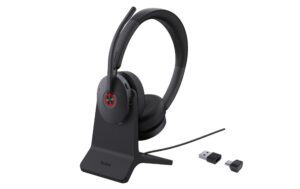
Yealink
Yealink BH74 UC USB-C/A mit Ladestation Bluetooth, BT51-C Dongle mit USB-A Adapter
gleicher Anschluss
Sofort lieferbar
108.08 CHF123.69 CHFInkl. MwSt.In den Warenkorb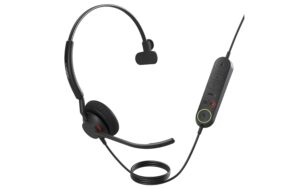
Jabra
Jabra Engage 40 Inline Link Mono USB C/A UC USB C/A, Inline Link Mono UC
gleicher Anschluss
Sofort lieferbar
115.45 CHF140.02 CHFInkl. MwSt.In den Warenkorb
Logitech
Logitech Gaming-Headset LIGHTSPEED G522 Schwarz
gleicher Anschluss, gleiche Marke
Sofort lieferbar
126.29 CHF133.37 CHFInkl. MwSt.In den Warenkorb