


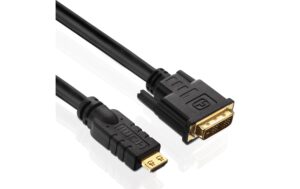
Monitorkabel DVI zu HDMI, 1920×1200, 10m DVI(18+1) Stecker zu HDMI-A, 3fach geschirmt
Auf Nachbestellung, lieferbar ab 14.10.2026
Delock HDMI Kabel (10m), DVI-D zu HDMI-A, 3x Schirmung, für Pro AV & Multimedia (1920×1200)
20.64 CHF Inkl. MwSt.
Auf Nachbestellung, lieferbar ab 14.10.2026
📈 Preisentwicklung▲ 7.6% teurer als vor 30 TagenDetails ▾
Alternativen
Sofort lieferbare Alternativen
- Sofort lieferbar
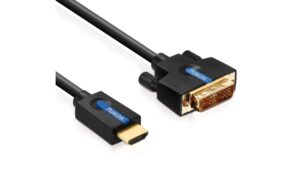
PureLink
PureLink Cinema, DVI -> HDMI, 5.0m Single-Link DVI-D zu HDMI-A Kabel
HDMI, DVI, 5 m
Sofort lieferbar
19.11 CHF21.33 CHFInkl. MwSt.In den Warenkorb - Sofort lieferbar
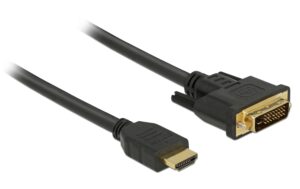
Delock
Delock, Kabel HDMI – DVI, 10 m, bidirektion DVI(24+1) Stecker zu HDMI-A, bidirektional
HDMI, DVI, 10 m
Sofort lieferbar
24.75 CHF Inkl. MwSt.In den Warenkorb - Sofort lieferbar
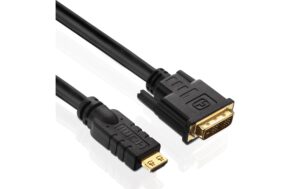
PureLink
PureLink, Kabel HDMI - DVI-D, 3 m 1080p, vergoldete Stecker
HDMI, DVI
Sofort lieferbar
22.22 CHF Inkl. MwSt.In den Warenkorb - Sofort lieferbar
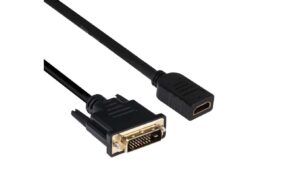
Club 3D
Club 3D Kabel DVI-D - HDMI 1.4, 2 m, Bidirektional
HDMI, DVI
Sofort lieferbar
14.68 CHF16.81 CHFInkl. MwSt.In den Warenkorb - Sofort lieferbar
PureLink
PureLink, Kabel HDMI - DVI-D, 2 m 1080p, vergoldete Stecker
HDMI, DVI
Sofort lieferbar
12.75 CHF14.39 CHFInkl. MwSt.In den Warenkorb
Introducing the Delock 85587 DVI-D to HDMI Conversion Cable, a high-performance AV solution designed for seamless integration and unparalleled visual experience. This premium cable offers a robust connection for your professional audio-visual needs.
Key Features:
- Length: 10 meters, providing flexibility in your setup while maintaining signal integrity.
- Connectors: DVI-D on one end and HDMI-A on the other, ensuring compatibility with a wide range of devices.
- Shielding: Three layers of shielding for superior noise reduction, minimizing signal interference and maintaining pristine video quality.
Use Cases & Applications:
Ideal for connecting digital projectors, monitors, or other DVI-D devices to HDMI-equipped displays, this cable is perfect for conference rooms, classrooms, and home theaters seeking a reliable, long-range connection.
Benefits for AV Technicians & Integrators:
- Versatility: The Delock 85587 cable offers a seamless solution for various AV applications, simplifying your installation and setup processes.
- High-Definition Display: With support for resolutions up to 1920×1200, you can deliver stunning visuals that will impress even the most discerning clients.
- Reliability & Durability: Delock’s commitment to quality ensures a cable that withstands heavy use and maintains its performance over time.
Compatibility & Integration:
This cable is compatible with a wide array of devices, making it an ideal choice for professional AV installations. The Delock 85587 offers a hassle-free integration into your existing setup and ensures smooth operation with minimal configuration required.
Choose the Delock DVI-D to HDMI Conversion Cable for Your Professional Needs
Invest in a cable that delivers superior performance, versatility, and reliability. The Delock 85587 is the perfect choice for AV technicians and integrators seeking a high-quality solution for their professional needs.
| Allgemeine Daten | |
|---|---|
| Produkt | Monitorkabel DVI zu HDMI, 1920x1200, 10m DVI(18+1) Stecker zu HDMI-A,3fach geschirmt |
| Hersteller | Delock |
| Technische Spezifikationen | |
| Output Format | 1920x1200 |
| Stecker DVI-A | 3fach geschirmt |
| Kabel Länge | 10m |
| Stecker HDMI-A | 1 |
Installation & Setup Tipps
- Verbinden Sie das Kabel an die entsprechenden DVI- und HDMI-A-Stecker Ihrer Anschlusseinheit und Monitor.
- Stellen Sie sicher, dass der Monitor korrekt aufgestellt ist und die richtige Auflösung (1920x1200) ausgewählt wird.
Häufige Probleme und Lösungen
- Problem: Kein Bild auf dem Monitor. Lösung: Überprüfen Sie die Verbindung des Kabels, stellen Sie sicher, dass das richtige Signal übertragen wird und dass der Monitor korrekt aufgestellt ist.
- Problem: Unscharfe Bildqualität. Lösung: Überprüfen Sie die Verbindungen am Kabel, stellen Sie sicher, dass es sich um ein qualitatives Kabel handelt und dass die Auflösung korrekt eingestellt ist.
Best Practices
- Verwenden Sie nur qualitätsvolles Monitorkabel, um sicherzustellen, dass das Bild scharf und ohne Verzerrungen ist.
- Stellen Sie sicher, dass die Auflösung des Kabels (1920x1200) mit der Auflösung Ihres Monitors übereinstimmt.
Kompatibilitätshinweise
- Das Kabel ist kompatibel mit Geräten, die über DVI- und HDMI-A-Stecker verfügen.
- Stellen Sie sicher, dass Ihr Gerät das gleiche Signal wie das Kabel unterstützt.
Wartung und Service
- Verwenden Sie den USB-Stick für die Installation nur, falls nötig. Überflüssige Verwendung kann zu unnötigen Schäden führen.
- Für Wartungsarbeiten an dem Kabel wenden Sie sich bitte einem qualifizierten Servicepersonal zu.