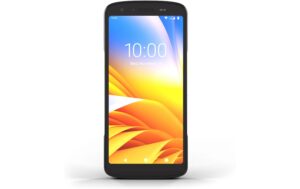
Panasonic Netzwerkkamera WV-S2136A Indoor, Dome, 1080p, 60fps, KI
Nur noch 3 Stück an Lager
Panasonic i-Pro WV-S2136A Indoor Dome Network Camera: 2MP, 60fps, IR, Visuelle Videoüberwachung. Erweitert Brennweite und Weitwinkel für 1080p Sicherheitssysteme.
160.80 CHF 625.17 CHF Inkl. MwSt.
Nur noch 3 Stück an Lager
📈 PreisentwicklungPreis stabil (30 Tage)Details ▾
Introducing the Panasonic i-Pro WV-S2136A Network Camera, a game-changer in the realm of indoor security and surveillance. This state-of-the-art device, manufactured by the renowned brand i-Pro, offers unparalleled performance and reliability.
Technical Highlights
- Resolution: Capture sharp and crystal-clear images with a 2 Megapixel sensor, delivering 1080p video at an impressive 60 frames per second (fps).
- IR-Cut Filter: The built-in IR-Cut filter ensures optimal image quality both during day and night, providing a comprehensive surveillance solution.
- Indoor Use: Designed for indoor environments, the WV-S2136A offers versatility and adaptability to suit various indoor applications.
Use Cases & Applications
From retail stores and offices to schools and residential buildings, the Panasonic i-Pro WV-S2136A Network Camera is an ideal choice for visual video surveillance. Its high resolution and smooth frame rate make it perfect for monitoring large areas with intricate details.
Advantages for AV Technicians & Integrators
- Easy Installation: The WV-S2136A features a user-friendly design, making it easy to install and configure, saving you valuable time on site.
- Reliability & Durability: Built with quality components, this network camera ensures consistent performance and long-term reliability in various indoor environments.
- Integration & Compatibility: The WV-S2136A seamlessly integrates with existing security systems and is compatible with most popular VMS (Video Management Systems) for easy system expansion and management.
Experience the Difference with Panasonic i-Pro
Upgrade your surveillance setup with the Panasonic i-Pro WV-S2136A Network Camera. With its advanced features, exceptional performance, and unmatched reliability, this device is a must-have for any AV technician or integrator seeking to provide top-tier security solutions.
Discover More
For more information about the Panasonic i-Pro WV-S2136A Network Camera, please visit our website or contact our sales team. Let us help you transform your surveillance systems with cutting-edge technology and unparalleled service.
| Allgemeine Daten | |
|---|---|
| Produkt | Panasonic Netzwerkkamera WV-S2136A Indoor |
| Hersteller | i-Pro |
| Technische Spezifikationen | |
| Auflösung | 1080p |
| Framerate | 60fps |
| AI | KI |
| Anschlüsse & Schnittstellen | |
| Leistungsdaten | |
| Physikalische Eigenschaften | |
| Umgebungsbedingungen | |
| Lieferumfang | |
AV-Techniker Tipps und Hinweise: Panasonic Netzwerkkamera WV-S2136A
Installation & Setup
- Verwende den angegebenen Montagevorrichtungen, um die Kamera anzuheften.
- Verbinde die Kamera mit einem Netzwerkkabel und stelle die Verbindung über den Browser oder das Panasonic i-Pro Manager Software her.
- Konfiguriere die Einstellungen nach Bedarf, wie z.B. Videoqualität, Bewegungserkennung usw.
Häufige Probleme und Lösungen
- Problem: Kamera ist nicht erreichbar. Lösung: Überprüfe die Verbindung zum Netzwerk und den IP-Adresse der Kamera.
- Problem: Videoqualität ist schlecht. Lösung: Reduziere die Frame Rate oder vergrößere die Bitrate, um die Qualität zu verbessern.
Best Practices
- Platziere die Kamera in einer guten Lichtumgebung.
- Verwende ein Netzwerkkabel mit ausreichender Leitungsqualität und Länge für die Installation.
- Reguläre Updates des Firmware-Softwares der Kamera installieren, um sicherzustellen, dass die Kamera funktioniert.
Kompatibilitätshinweise
Die Panasonic Netzwerkkamera WV-S2136A ist mit dem i-Pro Manager Software und anderen Panasonic Komponenten kompatibel. Überprüfe die offizielle Website von Panasonic, um weitere Informationen zu erhalten.
Wartung und Service
- Reguläre Updates der Firmware installieren, um die Kamera auf dem neuesten Stand zu halten.
- Reinigen Sie die Kamera regelmäßig, um eine optimale Leistung zu gewährleisten.
- Erhalten Sie Service und Reparaturen, falls benötigt, von einem Panasonic-Autorisierten Dienstleister.
Passendes Zubehör 12
Zubehör Überwachungskameras 12
-
-8%Netzwerk & Server, Sicherheit & Überwachung, Überwachungskameras, Zubehör Überwachungskameras
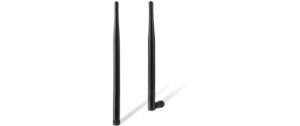
Reolink WiFi Antennen (1er Pack) schwarz
 Netzwerk & Server, Sicherheit & Überwachung, Überwachungskameras, Zubehör Überwachungskameras
Reolink WiFi Antennen (1er Pack) schwarz
Die Reolink WiFi-Antenne erweitert die Funkreichweite und -stabilität Ihrer Kameras, ideal für schwierige Signalbedingungen oder weit entfernte Überwachungskameras.
SKU: 1823627


Ähnliche Produkte
-
-26%Netzwerk & Server, Netzwerkkameras, Sicherheit & Überwachung, Überwachungskameras
Reolink P437 4K PoE Kamera Smarte wetterfeste 8MP PoE-Kamera IK10
 Netzwerk & Server, Netzwerkkameras, Sicherheit & Überwachung, Überwachungskameras
Reolink P437 4K PoE Kamera Smarte wetterfeste 8MP PoE-Kamera IK10
Die Reolink P437 ist eine wetterfeste 8MP PoE-Kamera mit 5x Zoomfunktion, IR-Cut-Filter und Spotlight-Funktion. Ideal für Outdoor-Sicherheitsanwendungen.
SKU: 1694011 -
-60%Netzwerk & Server, Netzwerkkameras, Sicherheit & Überwachung, Überwachungskameras
Hanwha Netzwerkkamera ANV-L6082R Outdoor, Dome, 2MP, IR, Variofokal
Netzwerk & Server, Netzwerkkameras, Sicherheit & Überwachung, ÜberwachungskamerasHanwha Netzwerkkamera ANV-L6082R Outdoor, Dome, 2MP, IR, Variofokal
Robuste Hanwha Vision Netzwerkkamera ANV-L6082R mit 2-Megapixel-Bildsensor, Tag-/Nacht-Funktion und Vandalenschutz für Outdoor-Anwendungen.
SKU: 1625585