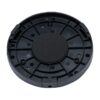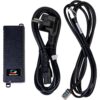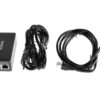
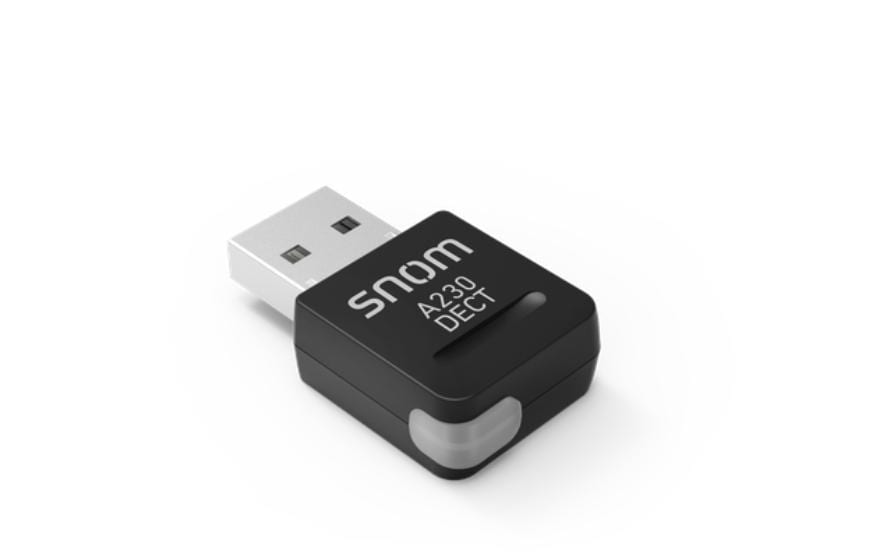
Snom A230 USB DECT Dongle
46.43 CHF 49.03 CHF Inkl. MwSt.
inkl. 8.1 % MwSt. (CHF 3.48) · Versand CHF 8.90, gratis ab CHF 500 exkl. MwSt.
Für Firmen: CHF 42.95 exkl. MwSt.
Nur noch 2 Stück verfügbar, Lieferung in 1 bis 3 Werktagen
- Farbe Schwarz
- Versand CHF 8.90, gratis ab CHF 500 exkl. MwSt.
- 36 Monate Garantie
- 7 Tage Rückgabe auf Kulanz
Zahlungsarten: TwintVisaMastercardPostFinancePayPalVorauszahlung
Overview
Introducing the latest innovation from snom, the Snom A230 USB DECT Dongle. This state-of-the-art device is designed to elevate your conferencing and collaboration experience, offering unparalleled performance and compatibility.
Key Features
High Data Accuracy: The Snom A230 ensures seamless communication with its top-tier data precision, making it an ideal choice for AV professionals and integrators seeking high-quality solutions.
Applications and Use Cases
Conferencing Rooms: Transform your meeting spaces into advanced collaboration hubs by integrating the Snom A230. Its wireless connectivity and superior audio quality make it an excellent choice for conference room setups.
Remote Work: The Snom A230 allows for flexible, reliable communication, enabling remote workers to collaborate effectively from any location.
Advantages for AV Technicians and Integrators
Easy Installation: The plug-and-play design of the Snom A230 ensures quick and hassle-free installation, saving valuable time during setup.
Superior Audio Quality: With its advanced audio technology, the Snom A230 delivers crystal-clear conversations that enhance user experience and satisfaction.
Compatibility and Integration
Broad Compatibility: The Snom A230 is compatible with a wide range of conferencing systems, making it an adaptable solution for various collaboration environments.
Professional and Sales-Oriented Description
Reliable Performance: Trust the Snom A230 to deliver consistently high-quality audio, ensuring smooth communication in your AV projects.
Innovative Design: The sleek and compact design of the Snom A230 makes it an attractive addition to any conferencing setup while maintaining top performance.
Specifications
Manufacturer: snom
Model Number: 4386
Categories: Conferencing & Collaboration, Telco & UCC
Color: Black
Embrace the future of AV conferencing with the Snom A230 USB DECT Dongle. Experience the difference in audio quality and seamless integration today!
| Allgemeine Daten | |
|---|---|
| Produkt | Snom A230 USB DECT Dongle |
| Hersteller | snom |
| Technische Spezifikationen | |
| Eigenschaft | Wert |
| Frequenzband | 1.880 - 1.900 MHz |
| Antenne | intern integriert |
| Anzahl Kanäle | 12 (DECT-Standard) |
| Verbindungsschlüssel | AES 128 Bit Encryption |
| Anschluss | USB 2.0 |
| Anschlüsse & Schnittstellen | |
| Eigenschaft | Wert |
| USB-Typ | USB 2.0 |
| Anschluss für Antenne | innerer |
| Leistungsdaten | |
| Eigenschaft | Wert |
| Freie Leistung pro Kanäle | 4,5 dBm |
| Gesamtleistung | 19,8 dBm |
| Physikalische Eigenschaften | |
| Eigenschaft | Wert |
| Gewicht | 107g (ohne Antenne) |
| Ausmaße | 84,5 x 63 x 26 mm |
| Umgebungsbedingungen | |
| Eigenschaft | Wert |
| Betriebstemperatur | 0 - 40 °C |
| Freiplatzungen | 2,5 dBm (6 m freier Raum) |
| Lieferumfang | |
| Eigenschaft | Wert |
| Snom A230 USB DECT Dongle | 1 Stück |
| Anschlusskabel USB 2.0 | 1 Stück |
| Hersteller | snom |
|---|---|
| Herstellernummer | 4386 |
| EAN | 4260059582469 |
| Gewicht | 0.03 kg |
| Garantie | 36 Monate |
Wann ist die Ware bei mir?
Kann ich auf Rechnung bestellen?
Welche Garantie gilt?
Sind die Preise inklusive MwSt.?
Tipps und Hinweise für AV-Techniker für das Snom A230 USB DECT Dongle
Installation & Setup
- Platziere den Snom A230 USB DECT Dongle in einen freien USB-Port auf dem Computer.
- Installiere das Dongle über den Snom Manager oder einen Web-Browser (z.B. Firefox, Chrome).
- Folge den Anweisungen des Installationsassistenten.
Häufige Probleme und Lösungen
- Problem: Der Dongle kann nicht erkannt werden.
- Überprüfe, ob der USB-Port aktiv ist.
- Versuche den Dongle in einem anderen USB-Port einzubinden.
- Problem: Es treten Verbindungsprobleme mit dem Dongle auf.
- Stelle sicher, dass alle Geräte mit aktualisierten Firmware betrieben werden.
- Überprüfe die Schaltung und Stellungen der DECT-Basisstation.
Best Practices
- Stelle sicher, dass das Dongle auf einem stabilen Unterhaltungskanal betrieben wird.
- Aktualisiere regelmäßig die Firmware des Dongles und der DECT-Basisstation.
- Verwende geeignete Kabel für die Verbindung des Dongles mit dem Computer.
Kompatibilitätshinweise
Der Snom A230 USB DECT Dongle ist kompatibel mit Windows XP, Windows Vista, Windows 7, Windows 8, Windows 10 und Mac OS.
Wartung und Service
- Lösche regelmäßig den Dongle auf einem PC oder MAC um.
- Stelle sicher, dass der Dongle von Staub und Fremdkörpern frei bleibt.
- Wenn Probleme auftreten, kontaktiere den Hersteller oder einen technischen Support.
- Falsch bestellt?Umtausch oder Gutschrift auf Kulanz, wenn Sie sich innert 7 Kalendertagen nach Erhalt bei uns melden. Der Artikel muss unbenutzt und vollständig originalverpackt sein, die Rücksendekosten tragen Sie. Rückgabe-Richtlinien