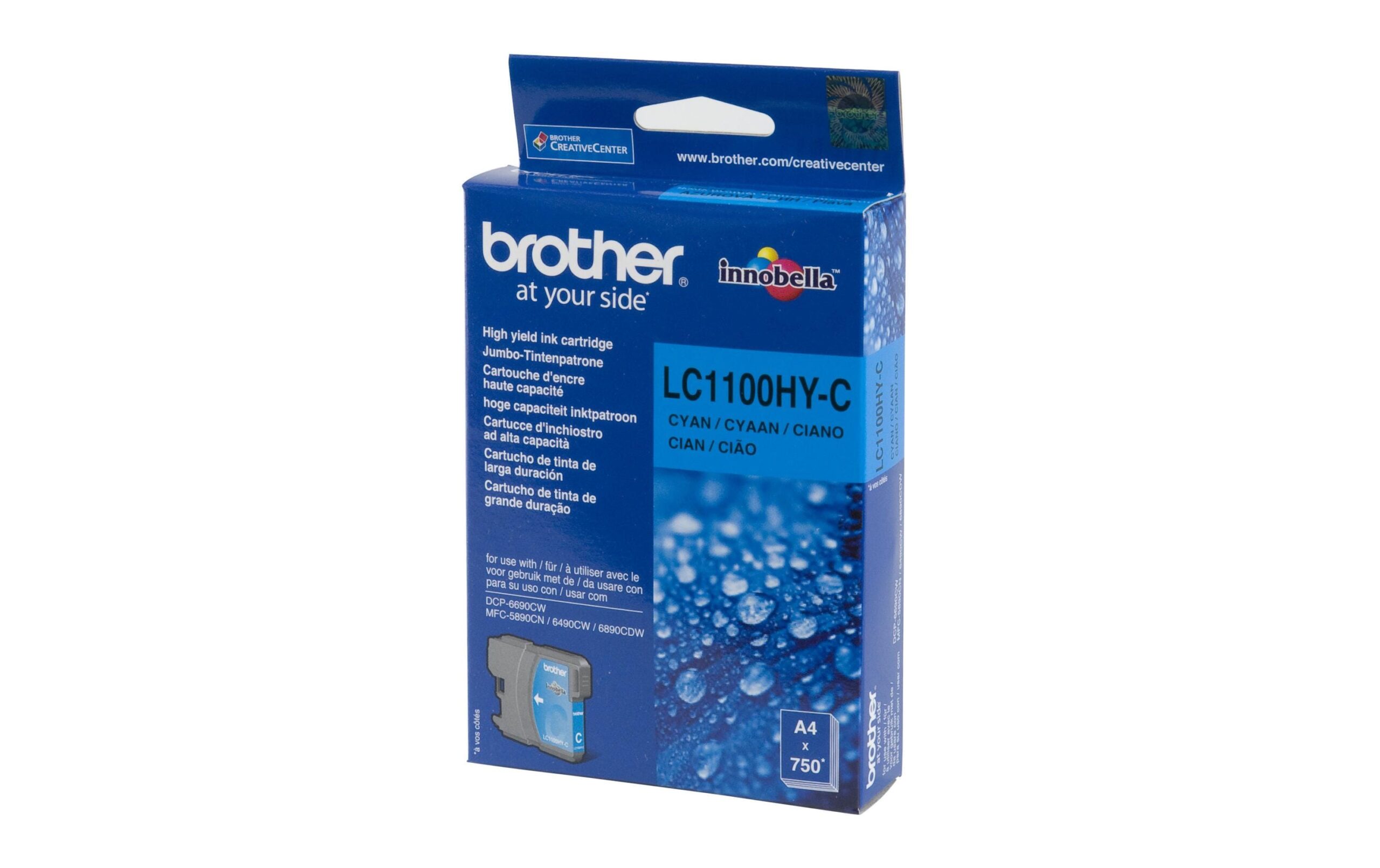
Tinte Brother LC-1100HYC, cyan zu allen A3 Geräten, 750 Seiten@5% Deckung
Nur noch 5 Stück an Lager
“Brother LC-1100HYC Cyan Ink: 750 Pages@5% Coverage for All A3 Devices – Original Product, Enhances Print Quality”
16.25 CHF 17.07 CHF Inkl. MwSt.
Nur noch 5 Stück an Lager
📈 Preisentwicklung▼ 4.7% günstiger als vor 30 TagenDetails ▾
Unparalleled Printing Experience with 750 Pages @ 5% Coverage
Experience a new level of productivity with the Brother LC-1100HYC Cyan Ink, designed specifically for A3 devices. This premium ink cartridge offers an impressive capacity of 750 pages at a 5% coverage rate, ensuring uninterrupted high-quality printing sessions.
Superior Quality and Precision
The Brother LC-1100HYC Cyan Ink is an original product, guaranteeing optimal performance and reliability. With its precise color reproduction, this ink delivers crisp, vibrant cyan hues that bring your documents to life.
Ideal for Various Use-Cases and Applications
- Graphic Design: Perfect for professional designers seeking consistent color output in their projects.
- Photography: Ideal for printing high-resolution images with accurate cyan tones.
- Business Documents: Ensures professional and eye-catching presentations, reports, and marketing materials.
Advantages for AV-Technicians and Integrators
The Brother LC-1100HYC Cyan Ink offers seamless integration into various A3 printing solutions, making it a go-to choice for AV-technicians and integrators. Its high capacity ensures reduced downtime during replacement, while its exceptional performance guarantees consistently impressive results.
Compatibility and Integration
The Brother LC-1100HYC Cyan Ink is compatible with a wide range of A3 devices, ensuring versatility in your printing needs. Its superior quality and reliability make it an ideal choice for professional environments demanding high-quality output.
Invest in the Brother LC-1100HYC Cyan Ink Today
Upgrade your printing experience with the Brother LC-1100HYC Cyan Ink. Experience unparalleled performance, superior quality, and exceptional value today.
Key Specifications:
- Product: Brother LC-1100HYC Cyan Ink
- Category: Computing & Software, Peripherals
- Hersteller: Brother
- Herstellernummer: LC1100HYC
- Color: Cyan
- Original Product: Yes
- Rainbow Kit: No
| Allgemeine Daten | |
|---|---|
| Produkt | Brother LC-1100HYC |
| Hersteller | Brother |
| Technische Spezifikationen | |
| Produkt | Tinte cyan für A3 Geräte |
| Seitenanzahl@5% Deckung | 750 Seiten |
Tinte Brother LC-1100HYC - Tipps, Hinweise und Best Practices
Installation & Setup
- Stellen Sie sicher, dass Ihr A3 Gerät mit dem Treiber der Brother LC-1100HYC kompatibel ist.
- Lösen Sie den Packsarg auf und entfernen Sie die Tinte aus ihrem Behältnis.
- Fügen Sie die Tinte in das Tintensystem Ihres Gerätes ein.
Häufige Probleme und Lösungen
- Problem: Die Tinte wird nicht ausgedruckt. Lösung: Prüfen Sie, ob die Tinte ordnungsgemäß eingefüllt ist und ob das Gerät mit dem Treiber aktualisiert wurde.
- Problem: Die Qualität der Drucke verschlechtert sich. Lösung: Prüfen Sie, ob die Tinte korrekt eingefüllt ist und ob sie noch genügend Deckung aufweist.
Best Practices
- Stellen Sie sicher, dass das Tintensystem des Gerätes regelmäßig gereinigt wird, um eine optimale Leistung zu garantieren.
- Verwenden Sie immer die empfohlene Tinte für Ihr A3 Gerät.
Kompatibilitätshinweise
Die Brother LC-1100HYC Tinte ist kompatibel mit allen A3 Geräten.
Wartung und Service
- Regelmäßig gereinigen Sie das Tintensystem Ihres Gerätes.
- Kontaktieren Sie Brother Service, falls Sie technische Probleme mit dem Drucker haben.