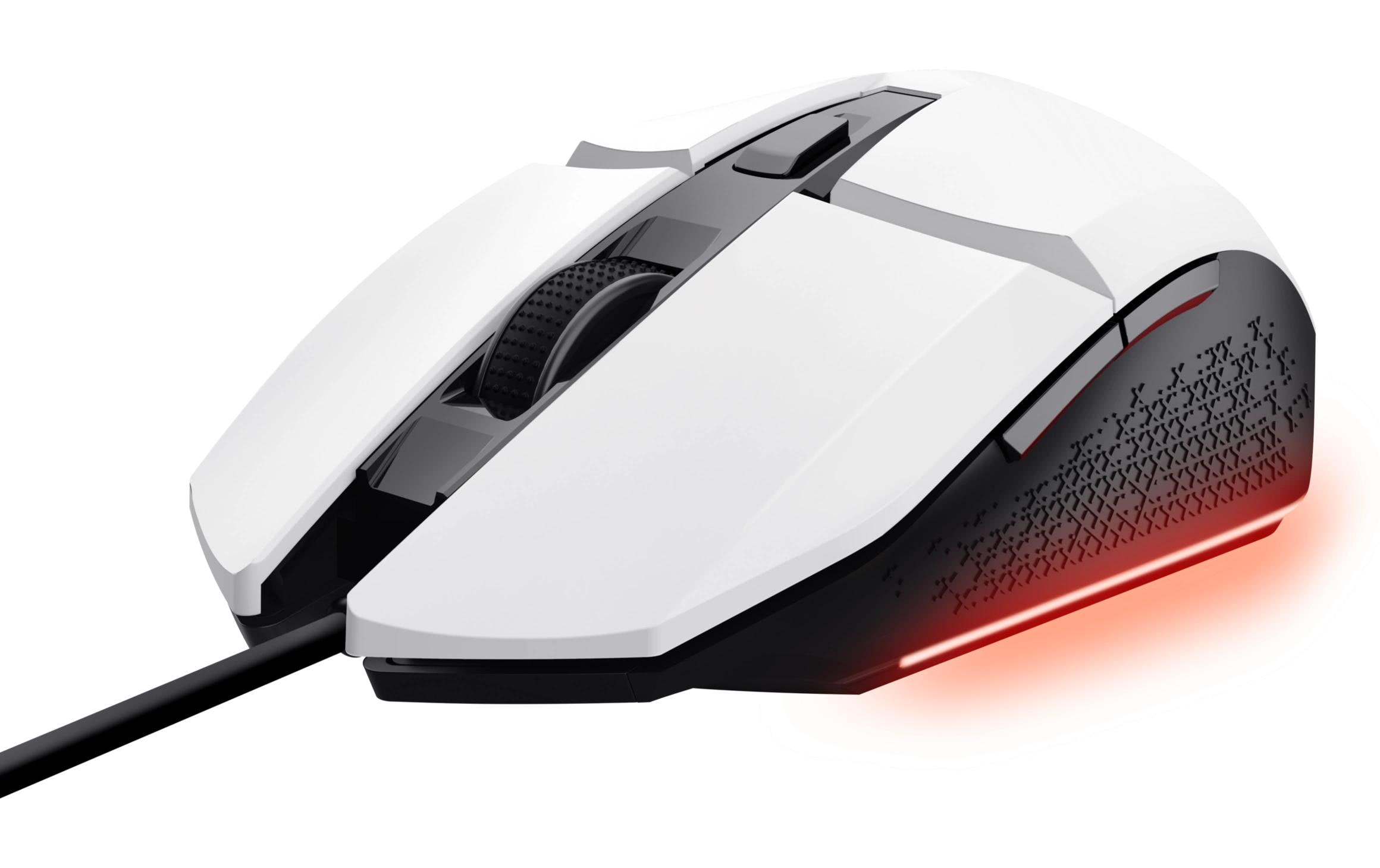


Trust Gaming-Maus GXT109 Felox Weiss
Nur noch 1 Stück an Lager
Trust Gaming Mouse GXT109 Felox White: Beleuchtete Maus mit Daumentaste und Umschaltbare DPI-Auflösung. Ideal für universale Gebrauch, mit Gewicht von 102/108g und USB-Verbindung.
14.63 CHF 17.89 CHF Inkl. MwSt.
Nur noch 1 Stück an Lager
📈 Preisentwicklung▼ 4.6% günstiger als vor 30 TagenDetails ▾
Key Features in Detail:
The Trust Gaming Mouse GXT109 Felox White is a versatile gaming mouse that offers a unique combination of features designed to enhance your gaming experience. Here are some key features and their explanations:
- Illumination: This feature provides an immersive gaming environment by illuminating the mouse, adding a touch of style to your setup while ensuring easy navigation even in low-light conditions.
- Daemon Tact Switch: Designed for high responsiveness and durability, this switch ensures accurate and fast input, giving you an edge in competitive gaming scenarios.
- Adjustable DPI: With the ability to adjust DPI (Dots Per Inch) on-the-fly, this mouse allows you to switch between sensitivity levels according to your game requirements, providing greater control and precision.
Use Cases & Applications:
Whether you’re a seasoned gamer or a professional looking for an ergonomic and efficient mouse, the Trust Gaming Mouse GXT109 Felox White is an ideal choice. Some common use cases include:
- Competitive Gaming: With its high-speed responsiveness and adjustable DPI, this mouse helps you dominate in fast-paced gaming scenarios.
- Home Office: Its sleek design and comfortable grip make it an excellent choice for long hours of work and productivity.
- Broadcasting & Streaming: With its illumination features, this mouse can add a professional touch to your streaming setup.
Target Audience & Benefits:
This gaming mouse caters to various professionals and enthusiasts, including but not limited to:
- AV Technicians: For those who value high-quality equipment that delivers exceptional performance.
- Integrators: Professionals who need versatile and durable components for their setups.
- IT Managers: Looking for ergonomic solutions to boost employee productivity and well-being.
- Event Organizers: Seeking stylish yet functional equipment for their events and presentations.
Technical Highlights & Advantages:
The Trust Gaming Mouse GXT109 Felox White offers several technical highlights that set it apart from competitors:
- Universal Design: This mouse is compatible with various operating systems, making it an ideal choice for a diverse user base.
- Lightweight Construction: With a weight of just 102g/108g, this mouse ensures comfortable use during long gaming sessions or work hours.
- USB-A Connection: This standard connection ensures compatibility with most modern computers and devices.
| Allgemeine Daten | |
|---|---|
| Produkt | Trust, Gaming-Maus GXT109 Felox Weiss |
| Hersteller | Trust |
| Technische Spezifikationen | |
| Beleuchtung | Ja |
| Daumentaste | Ja |
| Scrollrad | Ja |
| Umschaltbare DPI-Auflösung | Ja |
| Bedienungsseite | Universal |
| Detailfarbe | Weiss |
| Gewicht | 102 g, 108 g |
| Verbindungsart | Verkabelt |
| Schnittstelle | USB-A |
Zielgruppen und Einsatzgebiete
- Für Spieler, die sich auf eine hochwertige und beleuchtete Maus für ihre Gaming-Erlebnisse verlassen wollen.
- Für AV-Techniker, die professionelle Hardware für ihre eigenen Arbeitsprozesse benötigen.
Installation und Setup
- Verbinden Sie die Maus über den USB-A-Anschluss mit Ihrem Computer.
- Installieren Sie, falls nötig, das entsprechende Treiberpaket für die Maus.
- Konfigurieren Sie die DPI-Auflösung der Maus anhand der Schaltknöpfe auf der Maus.
Best Practices und Anwendungstipps
- Verwenden Sie die Beleuchtung der Maus, um bessere Sichtbarkeit bei dunklen Umgebungen zu gewährleisten.
- Konfigurieren Sie die DPI-Auflösung entsprechend Ihren Bedürfnissen, um eine optimale Steuerung der Maus zu erreichen.
Kompatibilität und Integration
- Die Maus ist für PCs und Laptops mit USB-A-Anschluss kompatibel.
- Sie unterstützt die Windows-Plattform.
Zubehör-Empfehlungen
- Für eine optimale Nutzung der Maus empfehlen wir die Verwendung eines Gaming-Mauspads.
- Eine entsprechende Mausmatte bietet zusätzliche Komfort und Präzision.
Häufige Probleme und Lösungen
- Wenn die Maus nicht funktioniert, kontrollieren Sie zunächst den Verbindungsanschluss und eventuelle Treiberfehler.
- Wenn Probleme mit der Beleuchtung auftraten, überprüfen Sie zunächst die Akkumulatorbatterien der Maus.
Passendes Zubehör 4
Weiteres Zubehör Tastaturen & Mäuse 4
-
-66%Computing & Software, Mäuse & Tastaturen, Peripherie, Weiteres Zubehör Tastaturen & Mäuse
HyperX Alloy Rise Top Plate, marineblau passend zu HyperX Alloy Rise Tastatur
 Computing & Software, Mäuse & Tastaturen, Peripherie, Weiteres Zubehör Tastaturen & Mäuse
HyperX Alloy Rise Top Plate, marineblau passend zu HyperX Alloy Rise Tastatur
HyperX Alloy Rise Top Plate marineblau – passend zu HyperX Alloy Rise Tastatur
1. Ersatzdeckplatte in blauer Farbe für die HyperX Alloy Rise Tastatur
2. Idealer Ersatzteil für professionelle Nutzer, die nach einem farblichen Akzent suchenSKU: 1759942 -
-16%Computing & Software, Mäuse & Tastaturen, Peripherie, Weiteres Zubehör Tastaturen & Mäuse
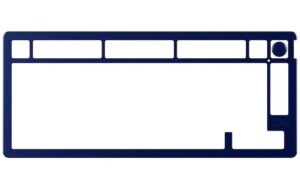
HyperX Alloy Rise 75 Top Plate, marineblau passend zu HyperX Alloy Rise 75 Tastatur
Computing & Software, Mäuse & Tastaturen, Peripherie, Weiteres Zubehör Tastaturen & MäuseHyperX Alloy Rise 75 Top Plate, marineblau passend zu HyperX Alloy Rise 75 Tastatur
Magnetische Top Plate in Navy Blue für die HyperX Alloy Rise 75 Tastatur, stabil aus Aluminium gefertigt mit farblich passendem Drehknopf.
SKU: 1759940 -
Computing & Software, Mäuse & Tastaturen, Peripherie, Weiteres Zubehör Tastaturen & Mäuse
HyperX Alloy Rise 75 Top Plate, weiss passend zu HyperX Alloy Rise 75 Tastatur
Computing & Software, Mäuse & Tastaturen, Peripherie, Weiteres Zubehör Tastaturen & MäuseHyperX Alloy Rise 75 Top Plate, weiss passend zu HyperX Alloy Rise 75 Tastatur
Die HyperX Alloy Rise 75 Top Plate in Weiß passt perfekt zur Alloy Rise 75 Tastatur und lässt sich einfach einrasten. Sie ist aus stabilen Aluminium gefertigt und verleiht deiner Tastatur einen neuen Look.
SKU: 1759941



Ähnliche Produkte
-
-10%
-
-11%
-
-7%Computing & Software, Gaming-Maus, Mäuse & Tastaturen, Peripherie
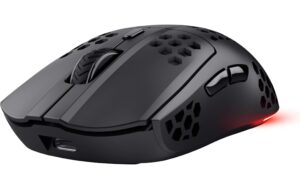
Trust GXT929 Helox Gaming Maus schwarz
Computing & Software, Gaming-Maus, Mäuse & Tastaturen, PeripherieTrust GXT929 Helox Gaming Maus schwarz
Trust GXT929 Helox Gaming Mouse Black: Wireless RGB gaming mouse for right-handed users with adjustable DPI, illumination, scroll wheel, and thumb button. Weighing 73g/75g. USB-A connectivity. Perfect for gaming enthusiasts seeking responsive and customizable performance.
SKU: 1790093