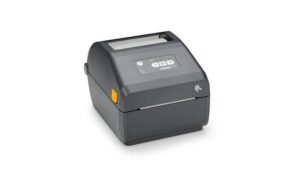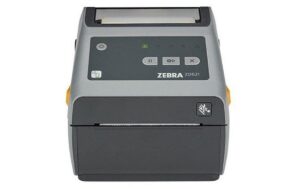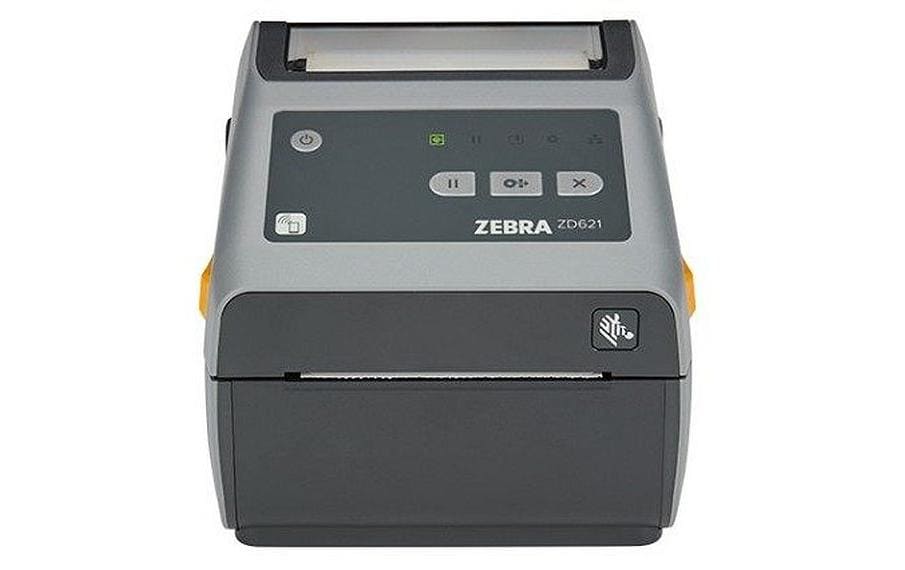
Zebra Etikettendrucker ZD621 203dpi TT WIFI USBl, RS232, LAN, BT, Wi-Fi
Nur noch 1 Stück an Lager
Prägnante Produktzusammenfassung:
1. Zebra Etikettendrucker ZD621: 203dpi Thermotransferdruck mit USB, RS232, LAN, BT und Wi-Fi – Ideal für Unternehmen mit hohen Etikettenauftragswerten
2. Zebra Technologies’ ZD621t: Multifunktionaler Drucker für verschiedene Schnittstellen, ideal für die industrielle Nutzung in Produktionsumgebungen
724.55 CHF 778.62 CHF Inkl. MwSt.
Nur noch 1 Stück an Lager
📈 Preisentwicklung▼ 0.8% günstiger als vor 30 TagenDetails ▾
Überblick
Welcome to the future of label printing with the Zebra Technologies ZD621 Thermotransfer Printer. This versatile device, equipped with a range of interfaces including USB, RS-232, LAN, BT, and Wi-Fi, offers unparalleled flexibility for various industries and applications. Say goodbye to the limitations of traditional label printers and step into a world where efficiency meets precision.
Hauptmerkmale
Versatile Connectivity:
The ZD621’s extensive connectivity options cater to diverse environments and integration needs. Whether you’re working in a corporate setting with LAN, or prefer the convenience of USB or Bluetooth, this printer has got you covered.
Wi-Fi Capability:
Equipped with Wi-Fi, the ZD621 allows for wireless connectivity, making it easy to integrate into existing networks and enabling seamless printing from multiple devices. This feature ensures uninterrupted workflow and increased productivity.
High-Resolution Printing:
With a resolution of 203 dpi, the ZD621 delivers sharp and crisp labels, ensuring that even the smallest details are clearly visible. This high level of detail is crucial for industries where accuracy is paramount.
Easy Integration:
The ZD621’s RS-232 interface makes it compatible with a wide range of devices and systems, simplifying integration into existing workflows. This ease of integration saves valuable time and resources.
Anwendungsbeispiele
Conference Rooms:
The ZD621 is perfect for printing room labels, identification tags, and badges for conference rooms, ensuring a professional and organized appearance.
Broadcast Studios:
In the fast-paced world of broadcasting, the ZD621’s high-resolution printing and quick turnaround make it an ideal choice for producing clear and accurate labels for equipment and cables.
Home Offices:
For those working from home, the ZD621 offers a compact yet powerful solution for printing labels for organizing office supplies or creating customized labels for packages.
Für wen sich das Produkt eignet
AV Technicians:
The ZD621’s versatility and high-quality printing make it an invaluable tool for AV technicians, simplifying the process of labeling equipment and cables.
Integrators:
With its extensive connectivity options, the ZD621 is a dream come true for integrators looking to seamlessly incorporate label printing into their solutions.
IT Managers:
The ZD621’s ease of integration and high-resolution printing make it an excellent choice for IT managers seeking a reliable and efficient labeling solution.
Event Organizers:
From event badges to equipment labels, the ZD621 offers event organizers a versatile tool for creating professional and organized events.
Technische Highlights
Thermotransfer Printing Technology:
The ZD621’s thermotransfer printing technology ensures vibrant, long-lasting labels that resist fading and smudging.
Watt Hours Capacity:
With a power consumption of 0 Wh, the ZD621 is an energy-efficient choice for businesses looking to reduce their carbon footprint.
| Allgemeine Daten | |
|---|---|
| Produkt | Zebra Etikettendrucker ZD621 203dpi TT WIFI USBl, RS232, LAN, BT, Wi-Fi |
| Hersteller | Zebra Technologies |
| Technische Spezifikationen | |
| Drucktechnik | Thermotransferdruck |
| Druckmedien | Etiketten |
| Schnittstellen | Bluetooth, RJ-45 (LAN), RS-232, USB, WLAN |
| Anschlüsse & Schnittstellen | |
| USB | - |
| RS-232 | - |
| LAN | RJ-45 |
| Bluetooth | - |
| Wi-Fi | - |
| Leistungsdaten | |
| Kapazität Wattstunden | 0 Wh |
| Physikalische Eigenschaften | |
| Umgebungsbedingungen | |
| Lieferumfang | |
Tipps und Hinweise für AV-Techniker zum Zebra Etikettendrucker ZD621
Zielgruppen und Einsatzgebiete
- Für Firmen, die mit großen Mengen von Etiketten arbeiten, ist der Zebra Etikettendrucker ZD621 ideal.
- In Industrieumgebungen und Logistik kommt er insbesondere bei der Kennzeichnung von Produkten und Paketen zum Einsatz.
Installation und Setup
- Verbinden Sie den Drucker mit Ihrem Computer über USB, RS-232, LAN, Bluetooth oder Wi-Fi.
- Installieren Sie das entsprechende Treiberpaket für den Zebra Etikettendrucker ZD621 auf Ihrem Computer.
- Konfigurieren Sie die Druckereinstellungen und wählen Sie das gewünschte Schriftformat, die Druckqualität und die Druckmedien aus.
Best Practices und Anwendungstipps
- Aktualisieren Sie regelmäßig den Druckkopf, um eine hohe Druckqualität zu gewährleisten.
- Verwenden Sie nur Original-Druckmedien des Herstellers Zebra Technologies.
- Stellen Sie sicher, dass die Etiketten sauber und fehlerfrei sind, bevor sie gedruckt werden.
Kompatibilität und Integration
- Der Zebra Etikettendrucker ZD621 lässt sich mit Windows, macOS, Android und Linux verbinden.
- Er unterstützt die Standards für Thermotransferdruck und kann mit anderen Zebra-Produkten integriert werden.
Zubehör-Empfehlungen
- Empfehlenswertes Zubehör zum Zebra Etikettendrucker ZD621 sind die Zebra-Batterien und der Zebra-Druckkopf.
- Weitere Ergänzungszubehör wie Etiketten und Schutzfolien können bei Zebra Technologies bestellt werden.
Häufige Probleme und Lösungen
- Wenn der Drucker nicht druckbereit ist, überprüfen Sie die Verbindung und den Treiber.
- Stellen Sie sicher, dass das gewünschte Schriftformat und die richtigen Druckmedien verwendet werden.
- Falls der Drucker nicht druckbereit ist oder Fehler auftragen, konsultieren Sie den Hersteller oder einen Fachservice.
Passendes Zubehör 12
Zubehör CD-/Kartendrucker 8

Zubehör Etiketten-/Belegdrucker 4
-
-50%Computing & Software, Drucker, Peripherie, Zubehör Etiketten-/Belegdrucker
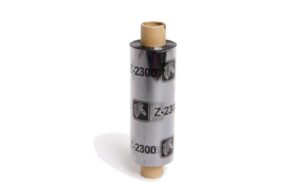
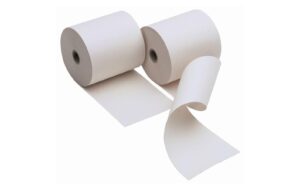
Druckpapier zu ZQ320 79.8mm 80 micron, Z-Perform 1000D, 19mm core
 Computing & Software, Drucker, Peripherie, Zubehör Etiketten-/Belegdrucker
Druckpapier zu ZQ320 79.8mm 80 micron, Z-Perform 1000D, 19mm core
Druckpapier für Zebra Technologies ZQ320: Thermopapier mit 79.8mm Breite und 80 micron Dicke, ideal für den Druck von Schriftzeichen und Barcodes. Mit dem Z-Perform 1000D erhältst du hohe Qualität und Langlebigkeit, was die Produktivität deines Labeldruckers erheblich verbessert.
SKU: 933318



Ähnliche Produkte
-
-5%Computing & Software, Drucker, Etiketten-/Belegdrucker, Peripherie
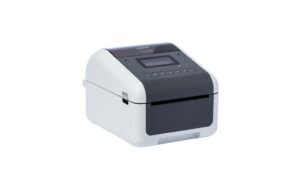
Brother TD-4550DNWB, Etikettendrucker 152mm/Sek, 300dpi, USB, LAN, Seriell, BT, WLAN
Computing & Software, Drucker, Etiketten-/Belegdrucker, PeripherieBrother TD-4550DNWB, Etikettendrucker 152mm/Sek, 300dpi, USB, LAN, Seriell, BT, WLAN
Brother Etikettendrucker TD-4550DNWB Drucktechnik: Thermodirektdruck, Druckmedien: Etiketten, Schnittstellen: Bluetooth, RJ-45 (LAN), RS-232, USB, WLAN
SKU: 968131