



eMeet Luna USB Speakerphone USB, Bluetooth, Akku
An Lager, versandbereit
eMeet Luna USB Speakerphone: Bluetooth 4.1, 3.5mm Jack, Daisy Chain, Integrated Battery – Enhance Conferencing & Collaboration for Microsoft UCC systems (Not Certified).
114.17 CHF 120.56 CHF Inkl. MwSt.
An Lager, versandbereit
eMeet, a renowned name in AV technology, presents the Luna USB Speakerphone – a revolutionary device designed for seamless conferencing and collaboration experiences. Equipped with state-of-the-art features, this speakerphone is an indispensable tool for modern telecommunication and Unified Communications (UCC) environments.
Key Specifications
- Bluetooth Technology: v4.1
- Connectivity: 3.5 mm Jack, Bluetooth, USB
- Integrated Battery: Yes
- Daisy Chain: Yes
Use-Cases and Applications
From large conference rooms to individual workstations, the eMeet Luna USB Speakerphone offers versatility in various settings. Ideal for remote meetings, virtual classrooms, and team collaborations, it ensures crystal-clear audio quality for uninterrupted communication.
Advantages for AV Technicians and Integrators
- Compatibility: The Luna speakerphone is compatible with major conference systems, ensuring easy integration into existing infrastructure.
- Flexibility: With multiple connectivity options, the device caters to diverse setup requirements and offers hassle-free deployment.
- Ease of Use: Its intuitive design allows for quick setup and configuration, saving valuable time during installation.
Microsoft Certification
Though not certified by Microsoft, the eMeet Luna USB Speakerphone is compatible with Microsoft systems, ensuring reliable performance in your UCC environment.
Experience Superior Audio Quality Today!
Upgrade your conferencing solutions with the eMeet Luna USB Speakerphone – the perfect blend of technology and convenience. With its advanced features and exceptional compatibility, this device is a must-have for any modern AV setup.
Product Details
- Model: eMeet 410778
- Category: Conferencing & Collaboration, Telco & UCC
| Allgemeine Daten | |
|---|---|
| Produkt | eMeet Luna USB Speakerphone USB, Bluetooth, Akku |
| Hersteller | eMeet |
| Technische Spezifikationen | |
| Eigenschaft | Wert |
| Output Power (SPL) | 60 dB |
| Frequenzbereich (Hz) | 100 - 8000 Hz |
| Bluetooth Version | 4.2 |
| Bluetooth Profil | A2DP, AVRCP, HFP, HSP |
| Batterieleistung (mAh) | 1800 |
| Batterielaufzeit (Stunden) | 16 |
| Gewicht (g) | 240 |
| Ausmaße (L x B x H mm) | 135 x 98 x 73 |
| Anschlüsse & Schnittstellen | |
| USB-Anschluss | 1 x USB 2.0 |
| 3,5mm Jack (Analog) | 1 x Microphone-Eingang |
| Leistungsdaten | |
| Max. Lautstärke (dB) | 85 dB |
| Nominal Lautstärke (dB) | 76 dB |
| Physikalische Eigenschaften | |
| Material der Gehäuseoberfläche | Aluminium |
| Umgebungsbedingungen | |
| Betriebstemperatur (°C) | 0 - 40 °C |
| Betriebsfeuchtigkeit (%) | 10 - 80 % |
| Lieferumfang | |
| eMeet Luna USB Speakerphone USB, Bluetooth, Akku | 1 x eMeet Luna USB Speakerphone |
| USB-Kabel | 1 x USB Kabel (Länge: 2m) |
| 3,5mm Jack-Kabel | 1 x 3,5mm Jack Kabel (Länge: 1m) |
| Anleitungsheft | 1 x Anleitungsheft (Englisch) |
AV-Techniker Tipps für die eMeet Luna USB-Speakerphone
Installation & Setup
- Zuerst verbinden Sie das Gerät über den angegebenen USB-Anschluss.
- Starten Sie danach die angegebene Software auf Ihrem Computer und klicken Sie auf "Installieren" oder "Setup".
- Ihr Gerät sollte sich im lautsprecherausgabe- und mikrofoneingangselement finden.
Häufige Probleme und Lösungen
- Problem: Das Gerät wird nicht von Ihrem Computer erkannt. Lösung: Stellen Sie sicher, dass das Gerät über den richtigen USB-Anschluss verbunden ist und dass die angegebene Software installiert wurde.
- Problem: Das Gerät funktioniert nicht mit Ihrem Computer. Lösung: Überprüfen Sie die Firmware des Geräts und aktualisieren Sie, falls notwendig, über das angegebene Update-Tool.
Best Practices
- Stellen Sie sicher, dass der Akku des Geräts ausreichend geladen ist, bevor Sie es nutzen.
- Verwenden Sie das Gerät in einer ruhigen Umgebung mit geringem Geräuschpegel, um ein optimales Ergebnis zu erzielen.
Kompatibilitätshinweise
- Das Gerät ist mit Windows, macOS und Linux kompatibel.
- Wenn Sie das Gerät mit Bluetooth verwenden möchten, stellen Sie sicher, dass Ihr Computer diese Funktion unterstützt.
Wartung und Service
- Stellen Sie sicher, dass das Gerät regelmäßig aufgeladen ist, um die Lebensdauer zu verlängern.
- Falls das Gerät Schäden aufweist, kontaktieren Sie den Hersteller oder einen technischen Service.
Alternativen
Jabra
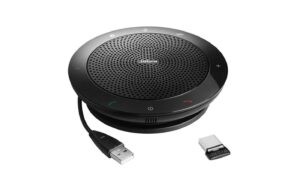
Jabra Speak 510 + Microsoft mit Bluetooth, Akku, und USB-Adapter
gleicher Anschluss
Sofort lieferbar
114.67 CHF125.89 CHFInkl. MwSt.In den Warenkorb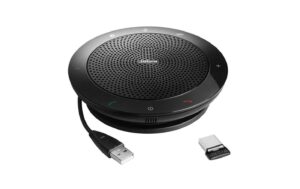
Jabra
Jabra Speak 510 + mit Bluetooth, Akku, und USB-Adapter
gleicher Anschluss
Sofort lieferbar
117.67 CHF133.13 CHFInkl. MwSt.In den Warenkorb
Yealink
Yealink SP96 USB-C/A mit BT51 Dongle, MS Teams
gleicher Anschluss
Sofort lieferbar
126.32 CHF190.81 CHFInkl. MwSt.In den Warenkorb- Günstiger
Jabra
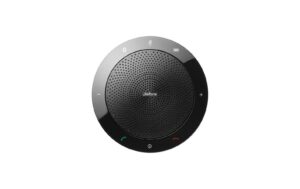
Jabra Speak 510 Freisprecheinrichtung mit bluetooth
gleicher Anschluss
Sofort lieferbar
94.10 CHF102.08 CHFInkl. MwSt.In den Warenkorb - Günstiger
Jabra
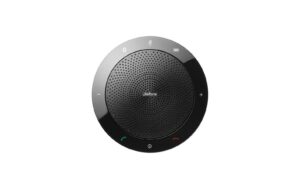
Jabra Speak 510 MS Freisprecheinrichtung mit bluetooth
gleicher Anschluss
Sofort lieferbar
86.68 CHF101.61 CHFInkl. MwSt.In den Warenkorb - Günstiger
Jabra
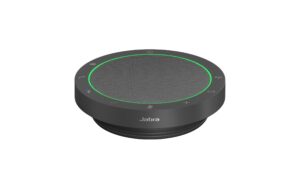
Jabra Speak2 55 MS Teams
Gleiche Kategorie (Speakerphone)
Sofort lieferbar
107.78 CHF132.41 CHFInkl. MwSt.In den Warenkorb 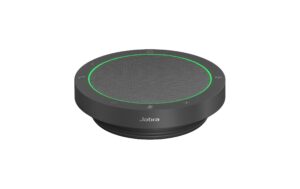
Jabra
Jabra Speak2 55 UC UC Version
Gleiche Kategorie (Speakerphone)
Sofort lieferbar
109.45 CHF126.68 CHFInkl. MwSt.In den Warenkorb- Günstiger
Jabra
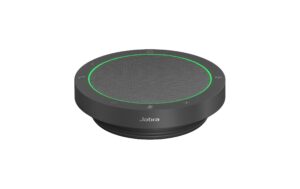
Jabra Speak2 40 UC UC Version
Gleiche Kategorie (Speakerphone)
Sofort lieferbar
101.70 CHF112.42 CHFInkl. MwSt.In den Warenkorb