



Jabra Speak2 55 MS Teams
An Lager, versandbereit
Jabra Speak2 55 MS Teams: Bluetooth Speakerphone für MS Teams, integrierter Akku und USB-Anschluss. Verstärke Ihre Konferenzen mit dieser konzentrierten Lösung!
107.78 CHF 132.41 CHF Inkl. MwSt.
An Lager, versandbereit
Experience crystal-clear audio conferencing with the Jabra Speak2 55 MS Teams, a state-of-the-art speakerphone designed for seamless integration with Microsoft Teams. This powerful device, equipped with Bluetooth 5.1 technology, offers unparalleled connectivity and versatility in various professional settings.
Key Features
- Bluetooth Connectivity: The Jabra Speak2 55 MS Teams supports both Bluetooth and USB-A/USB-C connections, ensuring compatibility with a wide range of devices.
- Microsoft Certification: This speakerphone is officially certified for Microsoft Teams, ensuring optimal performance and seamless integration with your existing Teams setup.
- Integrated Battery: The built-in rechargeable battery provides up to 15 hours of talk time, making it an ideal solution for extended meetings or on-the-go collaboration.
Use Cases and Applications
From conference rooms to home offices, the Jabra Speak2 55 MS Teams is designed to enhance your collaboration experience. It’s perfect for group discussions, webinars, and virtual meetings, providing high-quality audio that ensures every word is heard clearly.
Advantages for AV Professionals and Integrators
- Easy Setup: The Jabra Speak2 55 MS Teams can be easily connected to your Microsoft Teams account, making it a breeze for integrators to install and configure.
- Versatile Connectivity: With support for Bluetooth, USB-A, and USB-C, this speakerphone offers flexibility in various setups, from desktop to conference room configurations.
- Professional Audio Quality: The Jabra Speak2 55 MS Teams delivers superior audio performance, ensuring that every call or meeting is productive and efficient.
Compatibility and Integration
The Jabra Speak2 55 MS Teams is designed to work seamlessly with Microsoft Teams, making it an ideal choice for businesses already leveraging this powerful collaboration platform. Its compatibility extends to a wide range of devices, thanks to its support for Bluetooth and USB connections.
Invest in Superior Audio Quality Today
Upgrade your conferencing setup with the Jabra Speak2 55 MS Teams. Experience crystal-clear audio, easy integration, and versatile connectivity that enhances collaboration and productivity in any setting.
Product Number: Jabra 2755-109
Category: Conferencing & Collaboration, Telco & UCC
| Allgemeine Daten | |
|---|---|
| Produkt | Jabra Speak2 55 MS Teams |
| Hersteller | Jabra |
| Technische Spezifikationen | |
| Eigenschaft | Wert |
| Frequenzgang (Hz) | 100 Hz - 8 kHz |
| Lautstärkepegel, max. (dB SPL) | 79 dB |
| Akustische Leistung (Watt) | 5 Watt |
| Anschlüsse & Schnittstellen | |
| USB-Typ | USB 2.0 |
| 3,5mm Audio Jack | Keine |
| Leistungsdaten | |
| Talk Time (Stunden) | 15 Std. |
| Standby Zeit (Tage) | 7 Tage |
| Laden (min) | 2,5 Std. |
| Physikalische Eigenschaften | |
| Gewicht (g) | 163,5 g |
| Abmessungen (H x B x T, mm) | 98,7 x 98,7 x 142,3 |
| Umgebungsbedingungen | |
| Betriebstemperatur (°C) | 0 - 40 °C |
| Relativ Feuchte (%RH) | 10 - 95 % |
| Lieferumfang | |
| In der Auslieferung enthalten: | Jabra Speak 2 55 MS Teams, USB-Kabel (USB A - C), Schalterkabel, Ladegerät, Handbuch |
Tipps und Hinweise für AV-Techniker für Jabra Speak2 55 MS Teams
Installation & Setup
- Verwende das Jabra Direct-Tool zur Installation und Konfiguration des Jabra Speak2 55 MS Teams.
- Stelle sicher, dass der Computer mit dem Microsoft Teams Client aktualisiert ist.
- Folge den Anweisungen auf der Jabra-Webseite zur Installation des Bluetooth-Drivers.
Häufige Probleme und Lösungen
- Problem: Der Jabra Speak2 55 MS Teams kann nicht mit Microsoft Teams verbunden werden.
Lösung: Stelle sicher, dass das Bluetooth-Modul aktiviert und die PIN korrekt ist. - Problem: Der Jabra Speak2 55 MS Teams funktioniert nicht über den USB-Anschluss.
Lösung: Stelle sicher, dass der USB-Docking-Station aktiviert ist und die Treiber installiert sind.
Best Practices
- Stelle sicher, dass der Jabra Speak2 55 MS Teams stets auf den neuesten Firmware-Stand ist.
- Verwende das Jabra Direct-Tool zur Registrierung und Konfiguration des Geräts.
- Folge den Anweisungen auf der Jabra-Webseite bei der Reinigung und Wartung des Jabra Speak2 55 MS Teams.
Kompatibilitätshinweise
- Der Jabra Speak2 55 MS Teams ist kompatibel mit Windows und Mac.
- Stelle sicher, dass das Gerät mit dem aktuellen Microsoft Teams Client kompatibel ist.
Wartung und Service
- Stelle sicher, dass das Gerät regelmäßig gereinigt wird, um den optimalen Funktionsumfang zu gewährleisten.
- Verwende nur Originalzubehör des Jabra Speak2 55 MS Teams bei der Wartung und Reparatur.
Alternativen
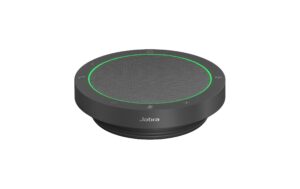
Jabra
Jabra Speak2 55 UC UC Version
Gleiche Kategorie (Speakerphone), gleiche Marke
Sofort lieferbar
109.45 CHF126.68 CHFInkl. MwSt.In den Warenkorb- Günstiger
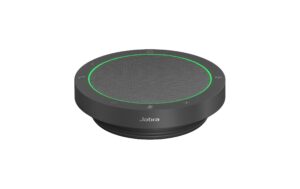
Jabra
Jabra Speak2 40 UC UC Version
Gleiche Kategorie (Speakerphone), gleiche Marke
Sofort lieferbar
101.70 CHF112.42 CHFInkl. MwSt.In den Warenkorb 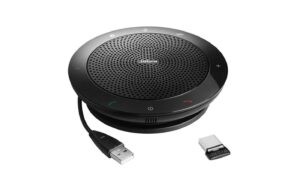
Jabra
Jabra Speak 510 + Microsoft mit Bluetooth, Akku, und USB-Adapter
Gleiche Kategorie (Speakerphone), gleiche Marke
Sofort lieferbar
114.67 CHF125.89 CHFInkl. MwSt.In den Warenkorb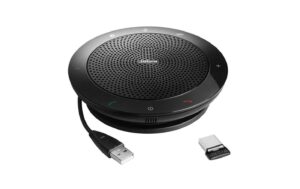
Jabra
Jabra Speak 510 + mit Bluetooth, Akku, und USB-Adapter
Gleiche Kategorie (Speakerphone), gleiche Marke
Sofort lieferbar
117.67 CHF133.13 CHFInkl. MwSt.In den Warenkorb- Günstiger
Jabra
Jabra Speak 510 Freisprecheinrichtung mit bluetooth
Gleiche Kategorie (Speakerphone), gleiche Marke
Sofort lieferbar
94.10 CHF102.08 CHFInkl. MwSt.In den Warenkorb 
eMeet
eMeet Luna USB Speakerphone USB, Bluetooth, Akku
Gleiche Kategorie (Speakerphone)
Sofort lieferbar
114.17 CHF120.56 CHFInkl. MwSt.In den Warenkorb- Günstiger
Jabra
Jabra Speak 510 MS Freisprecheinrichtung mit bluetooth
Gleiche Kategorie (Speakerphone), gleiche Marke
Sofort lieferbar
86.68 CHF101.61 CHFInkl. MwSt.In den Warenkorb 
Yealink
Yealink SP96 USB-C/A mit BT51 Dongle, MS Teams
Gleiche Kategorie (Speakerphone)
Sofort lieferbar
126.32 CHF190.81 CHFInkl. MwSt.In den Warenkorb